1
Chapter
1
Introduction
The Internet is a part of many of our daily activities. It is easy to understand people’s
frustration when they cannot connect to their favorite web site, when their download is too
slow, when their voice-over-IP call is choppy, or when the movie they have paid for keeps
restarting. This frustration only gets worse if people try to understand the source of the
problem in the hopes of solving the problem. The average Internet user may restart the
application or reboot the machine and modem. As a last resort, users may call the help
line of their service providers, who are often not in a much better position to diagnose the
problem.
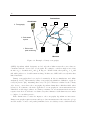
A simple example illustrates the complexity of identifying the cause of Internet faults.
When the user clicks on a web page, several elements need to cooperate for the web content
to be successfully delivered. At the end hosts, the operating system and all layers of the
protocol stack need to work properly. The users’ local environment can also be fairly
complex (users are often behind NATs or firewalls and connected over a wireless LANs).
At the core of the network, all routers and links in the path from the user to the server
and vice-versa need to forward packets to the correct destinations. The user also needs to
contact a Domain Name System (DNS) server to translate the name of the web site into an
IP address and may also need to contact multiple hosts, because different parts of the Web
page (e.g., text, images) may come from different servers in different locations and from
HTTP caches. Faults, misconfigurations, or poor performance of any of these elements can
cause the user’s request to fail, or suffer high delay or losses.
Unfortunately, when a failure happens none of the parties involved is in a position to
easily diagnose the problem. The user can quickly detect that something is wrong, but she
has no control of most of the elements involved in accessing the web page. The Internet
Service Providers (ISPs) that manage the networks in the path have direct access only to
1