1
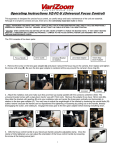
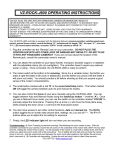
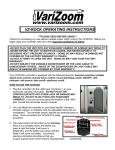
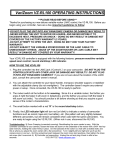
VZ-ROCK OPERATING INSTRUCTIONS ***PLEASE READ BEFORE USING*** Thanks for purchasing our new deluxe variable-rocker LANC control, the VZ-ROCK. Before you begin using your controller, here are a few important guidelines to follow: -DO NOT PLUG THE UNIT INTO ANY PANASONIC CAMERA OR DAMAGE MAY RESULT!!! -NEVER EXPOSE THE UNIT TO WATER OR LIQUIDS, AND NEVER EXPOSE IT TO EXCESSIVE HEAT, PRESSURE OR SHOCK – DOING SO MAY RESULT IN DAMAGE NOT COVERED BY THE FACTORY WARRANTY (2 YEARS) -DO NOT ATTEMPT TO OPEN THE UNIT. DOING SO MAY VOID YOUR FACTORY WARRANTY. -DO NOT SUBJECT THE VARIABLE ZOOM ROCKER OR THE LANC CABLE TO UNNECESSARY STRESS. ABUSE OF THE ZOOM ROCKER OR LANC CABLE MAY RESULT IN DAMAGE NOT COVERED BY YOUR WARRANTY! Your VZ-ROCK controller is equipped with the following features: pressure-sensitive variable speed zoom control; manual focus control; record start/stop; power ON/OFF; LED indicator; data on/off; autofocus on/off. HOW TO USE THE VZ-ROCK 1. Plug the controller into the LANC jack (“Control-L”) on your camcorder (usually a blue jack). DO NOT PLUG THE CONTROLLER INTO ANY OTHER JACK OR DAMAGE MAY RESULT!!! DO NOT PLUG IT INTO ANY PANASONIC CAMERA!!! If you are not sure about the location of the LANC jack, consult the camcorder owner’s manual. 2. You can attach the controller to your tripod handle, monopod, shoulder support, or stabilizer with the adjustable clamp (do not overtighten). The controller doesn’t require any external power or setup. Once connected, the VZ-ROCK is ready to perform. 3. The rocker switch at the bottom is for zooming. Since it is a variable rocker, the farther you press it right the faster it will zoom in (telephoto), and the farther you press it left the faster it will zoom out (wide). You should practice a bit before shooting so that you acquire a good sense of the rocker’s characteristics. (continued) 4. The small button marked with a red “R” is the record start/stop button. The button marked ON will toggle the camera between standby and full power modes. Hold the button in for 2 seconds and release to put the camera into standby mode *. To power the camera up from standby mode, simply press the ON button (most camcorders will go into auto standby after a few minutes in record pause mode*). Pressing the “ON” button will bring the camcorder back to full operating mode whether you put it into standby manually or if it happens automatically. 5. You can also control the focus of your lens manually using the VZ-ROCK. With most camcorders, you can toggle between Auto and Manual modes using the autofocus button ** (marked “A”). Once you are in Manual Focus mode, you can use the switch on the controller marked “FOCUS” to precisely adjust the focal plane. Pressing the up arrow () will bring the focal plane closer while pressing the down arrow () will move the focal plane farther away. 6. You also have access to two other control functions, data and edit search. The DATA button toggles the on-screen data (tape time, settings, etc.) on and off ***. The F+ / Fbuttons (edit search) allow you to review the recording on tape-based cameras. 7. Finally, the LED indicator light will turn red (or blink) to indicate a variety of camcorder functions such as record, low battery, etc. (the pattern will vary slightly between different camcorders, but will remain consistent when used with the same camcorder). You are ready to begin using the VZ-ROCK. Enjoy! (When not in use, disconnect the ROCK.) Troubleshooting: 1) Zoom Creeping (unwanted zooming): Recalibrating the zoom center is easy. With the controller connected to your camera, loosen the brass set screw on the underside of the rocker with a 5/64” hex key (alan wrench), holding the rocker firmly in place. On the backside of the rocker is a hole with a slotted shaft, and this is where you adjust the zoom center with a flat screwdriver. Turn it slightly left and right and you’ll see the camera zoom in and out – find the centermost point between the zoom in/out start positions, then tighten the brass set screw (don’t overcrank it). Watch the video here: https://www.youtube.com/watch?v=2ntdG3cu5Lg 2) Controller not responding: Unplug the unit and plug it back in after a few seconds. 512-219-7722 / www.varizoom.com ** Please note that the autofocus button may not work with certain cameras