1
5
1
2
3
4
5
6
7
8
9
page
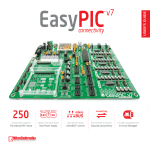
EasyPIC6 Development System
10
11
12
28
13
27
14
26
25
15
24
23
22
21
20
19
Key Features
1.
2.
3.
4.
5.
6.
7.
8.
9.
10.
11.
12.
13.
Power supply voltage regulator
On-board programmer USB connector
USB 2.0 programmer with mikroICD support
DS1820 temperature sensor socket
External MICROCHIP debugger (ICD2 or ICD3) connector
USB communication connector
A/D converter test inputs
PS/2 connector
On-board 2x16 LCD display
DIP switches to enable pull-up/pull-down resistors
Port pins’ pull-up/pull-down mode selection
I/O port connectors
PIC microcontroller sockets
18
17
16
14. Touch panel controller
15. Port expander
16. 128x64 graphic LCD display connector
17. 128x64 graphic LCD display contrast potentiometer
18. Touch panel connector
19. Menu keypad
20. Keypad 4x4
21. Push buttons to simulate digital inputs
22. Logic state selector
23. Protective resistor ON/OFF jumper
24. Reset button
25. 36 LEDs to indicate pins’ logic state
26. Alphanumeric LCD display contrast adjustment
27. Alphanumeric LCD display connector
28. RS-232 communication connector
MikroElektronika