1
WXYZ9
0, inputs space
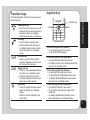
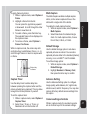
From any text entry screen, such as a text
message window, select Options > Input
Method; or, press the # key in Edit mode to
switch input methods .
ABC input
ABC input enables you to enter individual
letters one by one. This is ideal for adding a
phonebook entry or entering a WAP address.
When you press a key, the characters assigned
to the key appear in the lower center of the
screen. Press the key repeatedly to scroll
through these characters. Pause for a moment
and the selected letter appears on the screen.
)RUSUDFWLFHWU\FUHDWLQJDWH[WPHVVDJH606
as follows:
From the menu, go to Messages > SMS >
Write Message. Before entering text, press
Options and select Multitap.
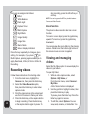
To enter the words “my phone” into the text
entry area, follow these steps:
1.
2.
3.
4.
to select m.
Press
Press
three times to select y.
to enter a space.
Press
Press
to enter p, then press
twice to enter h. Continue in this fashion
until the word “phone” is entered.
Whenever you press a key, a list of possible
characters or character combinations is
created. To enter text, press the joystick key
XSZDUGRUGRZQZDUGWR¿QGWKHFKDUDFWHU
combination you want. Press the joystick key
forward to proceed entering the next character.
If you make a mistake, press Clear.
Here is an example of how to enter the word
“baby” using smart text entry.
. The letter a appears on the
1. Press
screen.
2. Press
again quickly to go to the
next suggestion which is ba. If you press
the joystick upward/downward, the phone
scrolls through all possible two-letter
combinations of the letters a, b, and c.
3. Press
again quickly to display
three-letter combinations of the letters a,
b, and c.
4. Press
and the word baby appears.
5. Press SelectWRFRQ¿UP
NOTE: For smart text entry to work properly, ensure the
language settings in your phone match the language you
Getting started
Choosing text entry methods
Smart ABC
Smart ABC is a predictive text entry method,
which uses a built-in dictionary to predict the
word you are typing. You can choose the
correct word by pressing the keys repetitively
and scrolling through the words suggested
by the phone. By reducing the number of
keystrokes, the smart ABC helps some users to
type messages more quickly.
13