1
- Save data
storing of actual file
- Print data
printing of indicated display
- Additional text
input window for additional text will be opened
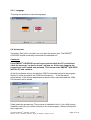
- Selection of language
direct call for selection of languages will be found in
the option window
- Zoom
both buttons (+) and (-) control extension
- Rotation
4 arrows allow rotation of display in
the main window
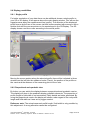
- Norm display
reset of main display
- Proportional/Quadrate display switching of proportional to quadratic display
- Raw data/smoothed data
switching of interpolated to non interpolated display
- 2D/3D
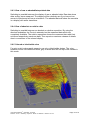
switching between 2D to 3D display
- Relative / absolute
switching from relative (peak to peak)
to absolute display of Z-axis
- Color
switching into 3 color display
- Black/white
switching into black/white display
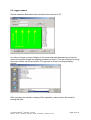
- Instrument panel
Supervision of battery power (Voltage) of Receiver
and Data logger as well as signal strength and gain
in percent while connected to the EMFAD®UG12 PRO
The signal strength is also viewed in a separated window. Activating and deactivating
with the start and stop button.
User Manual EMFAD® - ScanPRO, July 2008
Detector - Scout / Detecting - Systems - Röher / © EMFAD® - GmbH & Co. KG
Page 5 of 14