1
User Manual
using MOBILE NOTE SCANNER in vista
Using the Mobile Note Scanner in Microsoft Windows Vista
The Mobile Note Scanner enables you to use Windows Vista Ink programs such as Journal, Sticky notes and also to add Ink Notes into Office
2007 programs.
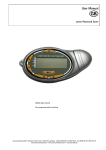
Make sure the Mouse Icon on the base unit LCD is on. There is no need to operate the Mobile Note Scanner program yet. The pen works in
tablet-pen mode.
Start Hovering above the paper. Check the coverage area.
Coverage area means the size of the "imaginative" square on the paper that covers the whole screen area (in between 4 corners).
Using the Mobile Note Scanner Pen in Journal
1. Run Windows Journal.
2. Start writing on the paper while looking at the screen.
3. You can use few more features like circle a text with Lasso (next the eraser) and ask for recognition in Actions drop down directory. You
can also erase, highlight texts etc.
Using the Mobile Note Scanner Pen in MS-Word 2007
1. Open a Microsoft Word 2007 file.
2. From the Ink toolbar (should be set manually) choose the red pen.
Various ink options are opened for you. You can annotate or write in Word.
3. Open ink comment-(a blue pen on yellow mote at the ink toolbar). A balloon opens, on the right side. Use it for handwritten comments.
In every Office program there is a Tablet PC input Panel on the left side. You can see just the end of it. When you tap it, it will appear on the
screen. You can write a sentence or individual letters and it will recognize the handwriting automatically: word by word, or letter by letter.
Comment:
At any time, when the mouse (pen) turns itself off automatically (energy-saving function), tip the paper once with the refill. It will take the
pen out of sleep-mode.
cocos-promotions gmbh | talheimer straße 32-d | 74223 flein, germany | phone 0049 (0) 7131/649 38-0 | fax 0049 (0) 7131/649 38-19
www.cocos-promotions.de | www.cocos-promotions.com | www.usb-sticks.de
cocos-promotions gmbh | talheimer straße 32-d | 74223 flein, germany | phone 0049 (0) 7131/649 38-0 | fax 0049 (0) 7131/649 38-19
www.cocos-promotions.de | www.cocos-promotions.com | www.usb-sticks.de
2