1
Software Reference
145
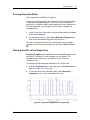
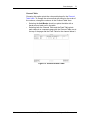
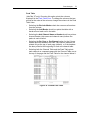
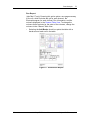
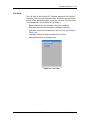
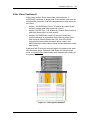
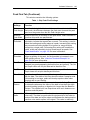
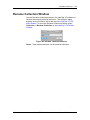
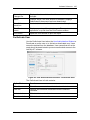
CDR Server Utility Window
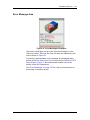
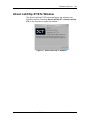
Use the CDR Server Utility Window to create a repository (the
Remote CDR Server Folder) on a remote computer to back up the
CDR. The repository stores secure backup copies of data files. The
CDR Server Utility Window is only available if the CDR Server
Utility is installed on the remote computer. (Only used if the 21 CFR
Security option is installed with the LabChip XT software.)
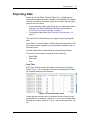
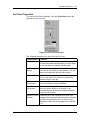
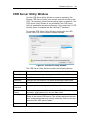
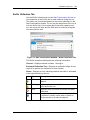
To open the CDR Server Utility Window, double-click the CDR
Server Utility icon on the remote computer desktop.
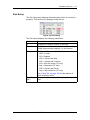
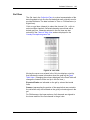
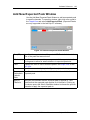
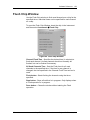
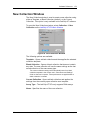
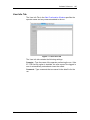
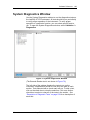
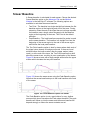
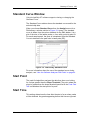
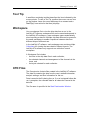
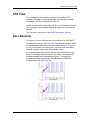
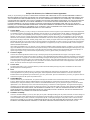
Figure 43. CDR Server Utility Window
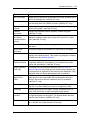
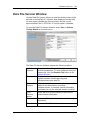
The CDR Server Utility Window contains the following options:
Server Folder
The name of the repository that will contain the data folders.
Create Server
Creates the repository for backup data in C:\RemoteCDR.
Folder Name
Specifies the name of the data folder to create in the repository.
Username
Specifies the user name to use when accessing the data folder.
Password
Specifies the password to use when accessing the data folder.
Confirm
Password
The same password as typed in the Password text box.
Get Folder
Details
If selected, creates a text file containing the URL, Folder Name,
Username, and Password for the new data folder.
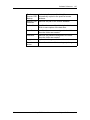
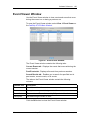
View Contents
Opens the CDR Server Viewer window to view the data files and
folders in the remote CDR server. Click a folder and enter the user
name and password that was used to create the folder to view the
contents of the CDR server folders.
Apply button
Creates the specified data folder.
V2.1
LabChip XT/XTe User Manual
Caliper Life Sciences, Inc.