1
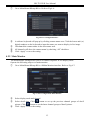
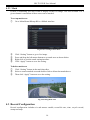
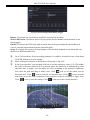
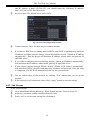
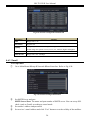
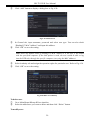
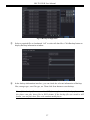
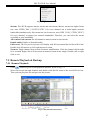
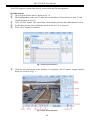
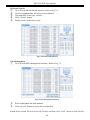
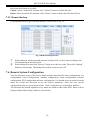
HD-TVI DVR User Manual Attaching image: If selected, the system will attach images when sending emails. 4.6.4 Server This function is mainly used for connecting ECMS/NVMS. The setting steps are as follows: ① In the server interface, select “Enable” as shown in the Fig 4-25. Fig 4-25 Network Configuration-Server ② ③ ④ Check the IP address and port of the transfer media server in the ECMS/NVMS. The default server port for auto report is 2009. If it is modified, please go to the transfer media interface to check. Enable the auto report in the ECMS/NVMS when adding a new device. Then input the remaining information of the device in the ECMS/NVMS and self-define a device ID. Input the above-mentioned server IP, server port and device ID in the server interface. Then click “Apply” button to save the setting. Now, the ECMS/NVMS system will automatically connect this device. 4.6.5 NAT ① Go to Main MenuSetup NetworkNAT interface. Refer to Fig 4-26. Fig 4-26 Network Configuration-NAT ② Enable NAT and input the NAT Server (The default NAT Server is www.autonat.com). 25