1
USER’S MANUAL
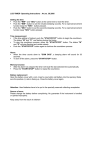
To Input Data for Measurement
When Map Mate is turned on, it's already operating in the Bank (memory) mode with the data and a blinking
no, of the bank previously or currently viewing. The sequence of inputting data is:
1.)
2.)
3.)
4.)
Measuring Bank
Method of Transportation
Unit of Measurement
Scale
Reset Map Mate before the first use. To clear all memories press
MODE
KEY
and "ON" when Map Mate is off.
DESCRIPTION
to switch through bank no. and stop at the desirable one
as the new measuring bank.
In this case the expected time of travelling by car is 1
hour 15 mins for the actual distance of 139.60Km
measured in Bank 1
to confirm selection and go to the next mode with a
blinking graphic
MODE
KEY
DESCRIPTION
to switch through methods of transportation and to stop
at the corresponding one
to confirm selection and to go to the next mode blinking
unit
MODE
KEY
DESCRIPTION
to switch between KM and MILE
to confirm selection and go to the next mode with a
blinking „1“ on the thousandth place if the bank is
empty: otherwise, the blinking no, will be the previous
one.
MODE
KEY
DESCRIPTION
„SELECT“ to select the thousandth figure for the scale:
the 3 figures to the right stay constant „0" as
adjustment has only a slight effect on the final result (
the smallest scale is 1: 999.000 )
„MODE“ to confirm selection and to go automatically to
the next figure to the left.
„SELECT“ to select figure
„MODE“ to confirm selection and to go to the next / last
figure to the left
„SELECT“ to select figure
„MODE“ to confirm selection and all 3 figures will blink
at the same time for final confirmation
„SELECT OR MODE“ to go back to the beginning with a
blinking no. on the thousandth place if mistakes occur
to confirm selection and to go to the next mode with a
blinking "MEASURE"
MODE
KEY
DESCRIPTION
„Press & Hold
“ to start measure on map by sliding
the wheel from the starting point to the destination,
"actual distance on land" and "time lapse" is shown
simultaneously while measuring
„Release
“ to terminate measuring process
repeat the same process to prolong the distances: Map
Mate will accumulate every
measurement until MODE is pressed ( to go back to
Bank mode) the data is stored in the
designated Bank
To ensure an accurate measurement. slide the wheel
wjth a SLOW AND CONSTANT
SPEED and DO NOT SLIDE IT BACKWARDS
The process for retrieving and changing data is the same as for inputting information
Map Mate goes in a cycle of the following every time when MODE is pressed
Turn the Map Measure off before replacing the
battery. Use a coin to open/close the battery lid.
Press the "RESET" button with a pointed object such
as a pen or a paper clip.
.
Remember:
- You can start Measure at anytime when pressing
.(expect jn the Scale mode).
- Auto-Power off
The device will be turned off automatically when there‘s no activity for up to 10 minutes
- Time Lapse calculation is based on the following speed reference:
- Driving - 43 Miles or 70 km/ hour
- Bicycling - 7,5 Miles or 12 km/ hour
- Jogging - 5 Miles or 8 km/ hour
- Hiking –2,6 Miles or 4 km/ hour
- VERY IMPORTANT
The result measurement and time can only be treated as a REFERENCE .No responsibility is assumed for
any mathematical inaccuracy in both the Distance and Time Lapse Measurement !
Source of error: PIease change the battery before complaining !
No guarantee if the instrument is handled or oponed improporty.