1
MODE
KEY
DESCRIPTION
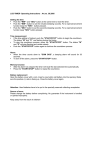
„SELECT“ to select the thousandth figure for the scale:
the 3 figures to the right stay constant „0" as
adjustment has only a slight effect on the final result (
the smallest scale is 1: 999.000 )
„MODE“ to confirm selection and to go automatically to
the next figure to the left.
„SELECT“ to select figure
„MODE“ to confirm selection and to go to the next / last
figure to the left
„SELECT“ to select figure
„MODE“ to confirm selection and all 3 figures will blink
at the same time for final confirmation
„SELECT OR MODE“ to go back to the beginning with a
blinking no. on the thousandth place if mistakes occur
to confirm selection and to go to the next mode with a
blinking "MEASURE"
MODE
KEY
DESCRIPTION
„Press & Hold
“ to start measure on map by sliding
the wheel from the starting point to the destination,
"actual distance on land" and "time lapse" is shown
simultaneously while measuring
„Release
“ to terminate measuring process
repeat the same process to prolong the distances: Map
Mate will accumulate every
measurement until MODE is pressed ( to go back to
Bank mode) the data is stored in the
designated Bank
To ensure an accurate measurement. slide the wheel
wjth a SLOW AND CONSTANT
SPEED and DO NOT SLIDE IT BACKWARDS
The process for retrieving and changing data is the same as for inputting information
Map Mate goes in a cycle of the following every time when MODE is pressed