1
SONICCOUTURE CLAV USER GUIDE
THE EFFECTS PANEL
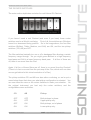
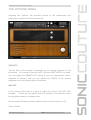
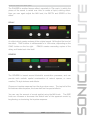
The effects panel is divided into a few sections. Along the top you have the
Auto Wah, Auto Pan, Chorus, Phaser, Delay, and Reverb tabs.
Each of
these has a green LED switch at the far right to turn it on or off.
At the bottom you have control of a compressor, cabinet simulation, an
Equalizer, and a saturation overdrive.
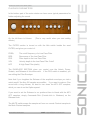
Here is a list of the controls in each effect inside the Clav:
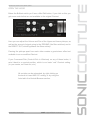
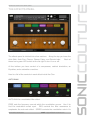
AUTO WAH
AUTO-WAH is a modulated filter effect.
FREQ sets the frequency around which the modulation occurs. Use it to
find the modulation sweet spot.
RES controls the filter resonance to
emphasize the wah-wah effect. SPEED controls the modulation rate in Hz
www.soniccouture.com
email : [email protected]