1
7
Quantification
Setting Up the Quantification Method
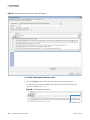
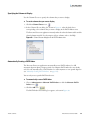
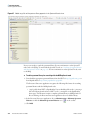
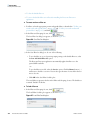
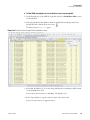
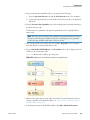
To remove an existing quantification label, select the label in the Quantification Labels
box and click – beneath the box.
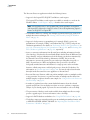
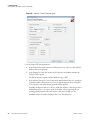
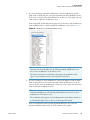
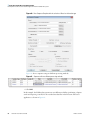
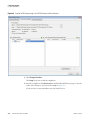
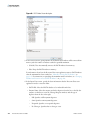
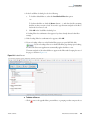
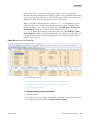
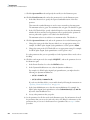
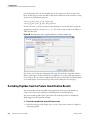
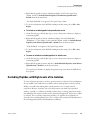
6. To change the default quantification channel name, backspace over the name in the Label
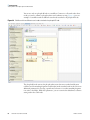
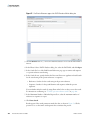
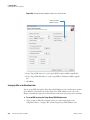
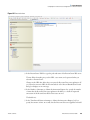
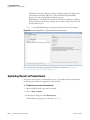
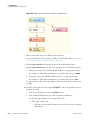
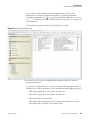
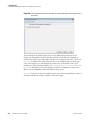
Name box and type the new name. The example in Figure 180 uses Arg6, Lys6.
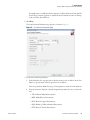
7. In the Modification Target area, select the location of the label on the peptide:
• Side Chain Modification: Indicates that the label occurs on a side chain.
• N-Terminal Modification: Indicates that the label occurs on the N terminus.
• C-Terminal Modification: Indicates that the label occurs on the C terminus.
8. From the Modification list, select the modification to label the amino acid with. This
example shows Label:13C(6) / +6.020 Da.
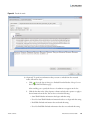
9. From the list adjacent to the Modification list, select the abbreviation of the amino acid
selected in the Quantification Labels box on which the modification should occur. In this
example, K is selected.
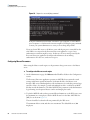
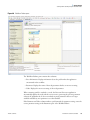
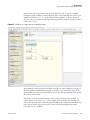
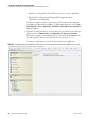
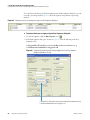
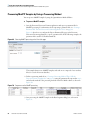
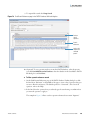
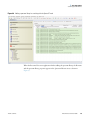
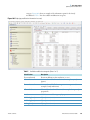
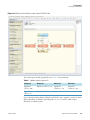
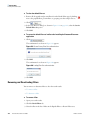
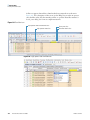
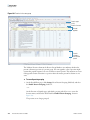
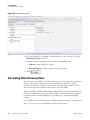
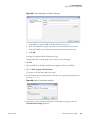
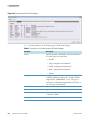
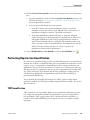
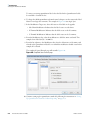
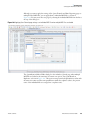
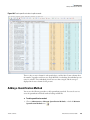
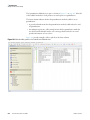
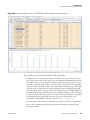
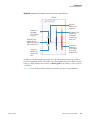
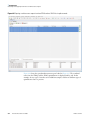
The completed Quan Channels page will resemble Figure 180.
Figure 180. Completed Quan Channels page
10. Continue setting up the quantification method by following the instructions in “Setting
Up Quantification Channels for Ratio Reporting” on page 273.
270
Proteome Discoverer User Guide
Thermo Scientific