1
LEAF "Bering" user's guide
Prev
LEAF "Bering" user's guide
Next
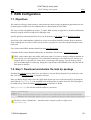
5. PPPoA configuration
5.1. Objectives
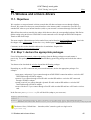
We assume here that you want to connect your LEAF router to the Internet via PPPoA. The PPPoE
connection is covered in another section of this user's guide. So is the PPTP/PPPoA connection. What is
described here corresponds to section 3.2.4 of the DSL How−To document. The traffic to your internal
network goes through eth0 while access to the Internet via PPPoA goes through ppp0.
The PPP−Howto and the DSL−Howto are two useful references for this section.
The following setup has been tested by Dave Anderson, who gets connected to BT DSL service using a
Bewan ATM/PCI "st" card on a P166 machine.
Thanks to Dave for his patience in testing!
Comments on this section should be addressed to its maintainer: Jacques Nilo
<[email protected]>.
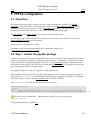
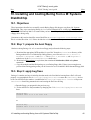
5.2. Step 1: declare the pppatm package
In order to be able to get connected through PPPoA you will need a special version of ppp patched for PPPoA
support. This support is provided by a pppoatm.so "plugin" which is − unfortunately − only available for ppp
version 2.4.0b2 (The "standard" Bering ppp version is 2.4.1). The pppatm.lrp package is nothing more than
this patched version of ppp 2.4.0b2 which was developped by Michael Mitchell. This package will replace the
ppp.lrp package provided on your Bering floppy.
Note: pppd will appear as 2.4.0b1 in syslog but it's really pppd 2.4.0b2 !
Boot your Bering floppy image. Once the LEAF menu appears get access to the linux shell by (q)uitting the
menu. Edit the syslinux.cfg file and REPLACE the pump entry by pppatm in the LRP= list of packages
to be loaded at boot. Check the Bering installation guide to learn how to do that.
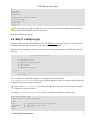
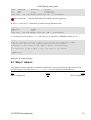
Your syslinux.cfg file will then look like (adjust to your tastes):
display syslinux.dpy
timeout 0
default linux initrd=initrd.lrp init=/linuxrc root=/dev/ram0 boot=/dev/fd0u1680:msdos
PKGPATH=/dev/fd0u1680 LRP=root,etc,local,modules,pppatm,keyboard,shorwall,dnscache,webl
The last two lines ("default linux ... dnscache,weblet") must be typed as a single one in
syslinux.cfg
The pppatm.lrp package is available here.
5. PPPoA configuration
20