1
LEAF "Bering" user's guide
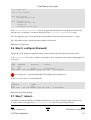
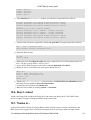
# rdate −s 192.168.1.3
# hwclock −−systohc
Note that if you don't have a Linux workstation available, you can use a program like AboutTime for
Windows to set the Windows machine time correctly, and while AboutTime is running and its server
options are enabled you can use "rdate" against that machine.
For the rdate command to work you will have to open the "time" service (tcp/37)
from your firewall to the internet. Edit the Shorewall rules file and add:
ACCEPT
fw
net
tcp
time
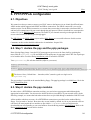
14.4. Edit the contents of /etc/timezone (optional)
This will describe your timezone. I am not aware of any packages used with Bering that depend on this file,
but it might as well be consistent.
14.5. Activate daily clock updating (optional)
Here you have to choose one of the three following options (mutually exclusive):
• You can activate daily clock updating via rdate (tcp port 37) to a nearby "time" protocol server. This
service is handled internally by the inetd daemon on a *nix workstation. To activate rdate updating,
edit /etc/lrp.conf to specify the ip number of the desired time server for lrp_DATE_SERVER,
and uncomment this variable (See the "configure your system" chapter of the Bering installation
guide). The main advantage of this option is that you do not need an extra package to synchronise
time on your Bering box. The main drawbacks are a/ rdate is not accepted by every public time
servers and b/ rdate is less precise than NTP (see below).
• Download the ntpdate.lrp package from the Bering package download area and add it to your
syslinux.cfg file. It will provide you with the NTP client from http://www.ntp.org. Then go to the
ntpdate configuration menu and declare the timeservers you want to query and, optionnally the
frequency of the update in the ntpdate cronjob parameters (default= every hour)
• Activate your own time server. In this scenario you will have to download the ntpsimpl.lrp and the
libm.lrp packages from the Bering packages download area and add them to your syslinux.cfg file.
You will have the ntpd daemon from http://www.ntp.org (ntpd is a more recent version of xntpd).
Then go to the ntpsimpl configuration menu and declare the timeservers you want to query.
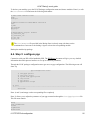
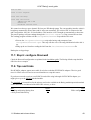
Do not forget to adjust your firewall to allow access to NTP services:
ACCEPT
ACCEPT
fw
loc
net
fw
udp
udp
ntp
ntp
(if you want to query an external NTP server
(if you want to query your Bering box time s
A list of available public timeservers is available here. All of them will accept request from ntpd
or ntpdate. Only a few of them will accept rdate requests.
14.6. Internal network NTP clients
If you have a time server running on your Bering box, you might be looking for NTP clients for your internal
network machines.
14. Time in Bering
61