1
11
Configuration Management
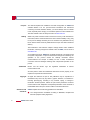
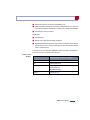
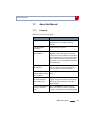
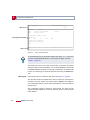
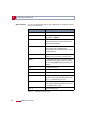
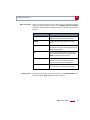
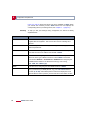
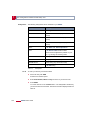
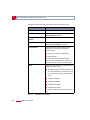
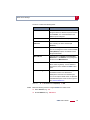
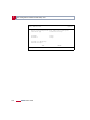
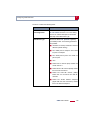
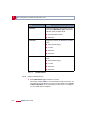
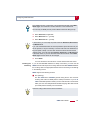
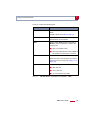
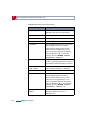
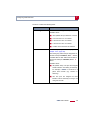
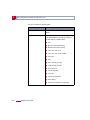
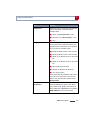
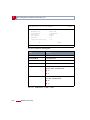
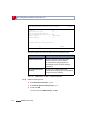
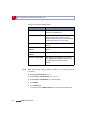
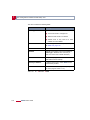
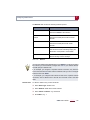
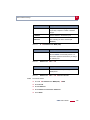
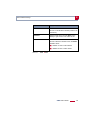
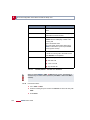
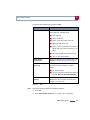
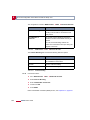
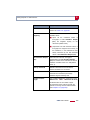
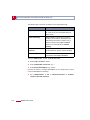
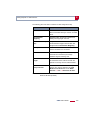
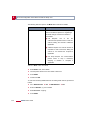
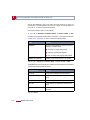
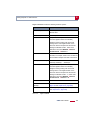
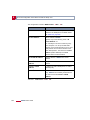
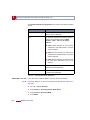
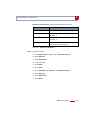
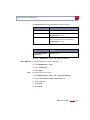
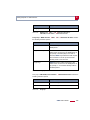
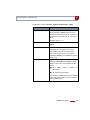
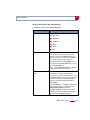
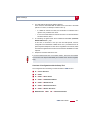
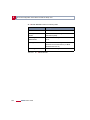
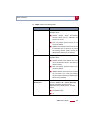
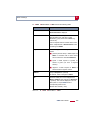
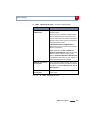
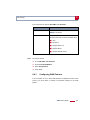
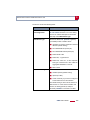
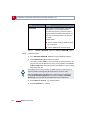
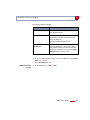
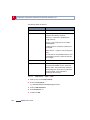
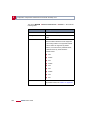
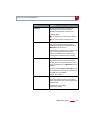
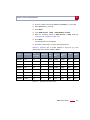
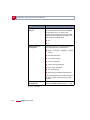
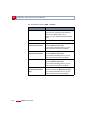
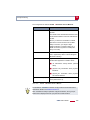
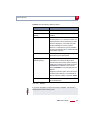
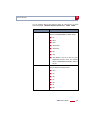
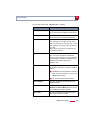
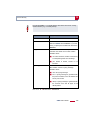
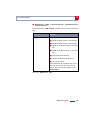
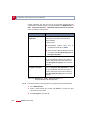
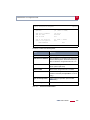
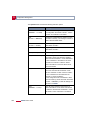
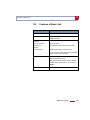
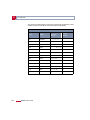
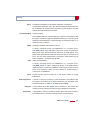
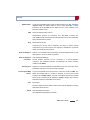
The Operation field contains the following selection options:
366
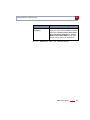
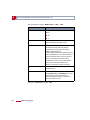
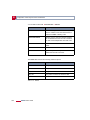
Possible values
Meaning
save
(MEMORY --> FLASH)
Save all current settings from memory to flash
as configuration file <Name in Flash>. <Name
in Flash> is overwritten or recreated.
load
(FLASH --> MEMORY)
Loading the configuration file <Name in Flash>
from flash to memory. The settings in <Name in
Flash> take immediate effect.
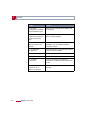
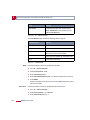
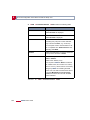
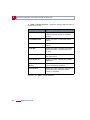
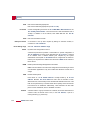
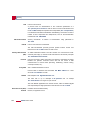
move
(FLASH --> FLASH)
Rename configuration file <Name in Flash> to
<New Name in Flash>.
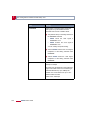
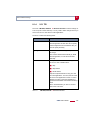
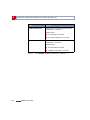
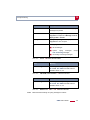
copy (FLASH --> FLASH)
Copy configuration file <Name in Flash> as
<New Name in Flash>.
delete (FLASH)
Delete configuration file <Name in Flash>.
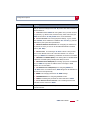
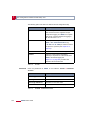
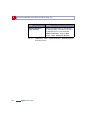
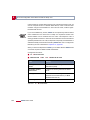
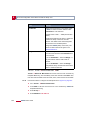
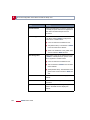
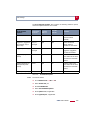
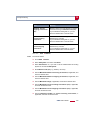
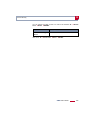
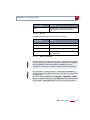
put (FLASH --> TFTP)
Transfer configuration file <Name in Flash>
from flash to TFTP host with the IP address
<TFTP Server IP Address>. <TFTP File Name>
is then overwritten or recreated on the TFTP
host with the contents of <Name in Flash>.
<TFTP File Name> is saved in ASCII format
and can be edited.
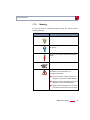
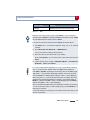
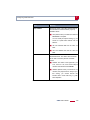
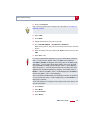
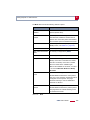
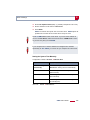
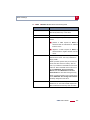
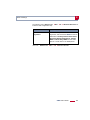
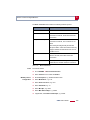
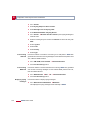
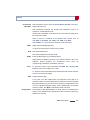
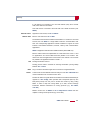
get (TFTP --> FLASH)
Transfer configuration file <TFTP File Name>
from TFTP host with the IP address <TFTP
Server IP Address> to flash. <Name in Flash>
is then overwritten and recreated with the
contents of <TFTP File Name>.
As the configuration file is transferred to flash
and not to memory, the file must then be loaded
(FLASH --> MEMORY), so that the settings can
take effect on X4000.
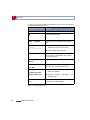
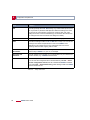
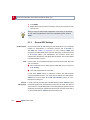
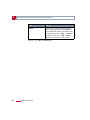
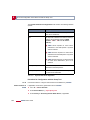
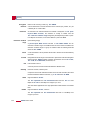
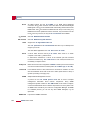
state
(MEMORY --> TFTP)
Save all current settings in the memory as
<TFTP File Name> on the TFTP host with the
IP address <TFTP Server IP Address>. <TFTP
File Name> is then overwritten or recreated.
X4000 User’s Guide