1
Professional Headend Solutions
Operating instructions
ENCODER/ MULTIPLEXER
ASI / SDI/ A/V → ASI(TS) & IP(TS)
ASI / HDMI → ASI(TS) & IP(TS)
EMA 308/ 407/ 408
EMA 508/ 608/ 708
Part No: 917x.xx
EMA x08/407
Part No: 917x.xx
ENCODER/ MULTIPLEXER
ASI / SDI/ A/V → ASI(TS) & IP(TS)
ASI / HDMI → ASI(TS) & IP(TS)
Content
1. Installing and operating instructions...........................................................................................................................3
1.1 Safety instructions..............................................................................................................................................3
1.2 Contact...............................................................................................................................................................3
1.3 General description of functions........................................................................................................................4
1.4 Multiplexer/ Re-multiplexer/ PID filter.................................................................................................................5
2. Explanation of the functional elements.......................................................................................................................6
2.1 Front view...........................................................................................................................................................6
2.2 Rear view............................................................................................................................................................6
2.2.1 Input and output ports................................................................................................................................6
2.2.2 Pole allocation of the audio sockets (EMA 308, 407, 408, 608)................................................................7
2.2.3 EMA variants with 48 V DC power supply..................................................................................................7
3. Operating instructions.................................................................................................................................................8
3.1 Commissioning of the EMA (EASY, without configuration)...............................................................................8
3.2 Basic settings on delivery (Factory settings).....................................................................................................8
3.3 Settings via Ethernet interface...........................................................................................................................9
3.3.1 Network connection to the computer........................................................................................................9
3.3.2 Configuration menu (HTML page)...........................................................................................................10
3.3.2.1 Menu “System” ...........................................................................................................................10
3.3.2.1.1 System | Ethernet............................................................................................................10
3.3.2.1.2 System |General.............................................................................................................11
3.3.2.1.3 System | SysParam.........................................................................................................12
3.3.2.1.4 System | Maintenance....................................................................................................13
3.3.2.2 Menu „Modules“..........................................................................................................................14
3.3.2.2.1 Modules | MAIN ASI........................................................................................................14
3.3.2.3. Menu „Output“...........................................................................................................................17
3.3.2.3.1 Output | MUX / TTX / EIT.................................................................................................17
3.3.2.3.2 Output | TS-Out...............................................................................................................17
3.3.2.3.3 Output | Expert Mode......................................................................................................19
3.3.2.4 Menu „Streaming“.......................................................................................................................20
3.3.2.4.1 Streaming | Interface.......................................................................................................20
3.3.2.4.2 Streaming | Str-1.............................................................................................................20
3.3.2.5 Menu „Status”.............................................................................................................................21
3.3.2.5.1 Status | Pg 190................................................................................................................21
3.3.2.5.2 Status | Pg 192................................................................................................................21
3.3.2.5.3 Status | Pg 196................................................................................................................22
3.3.2.5.4 Status | Pg 197................................................................................................................22
3.3.2.5.5 Status | Pg 198................................................................................................................23
3.3.3 Transcoder operating modes...................................................................................................................23
3.3.3.1 EMA 408 transcoder, MPEG-2 to H.264/ AVC.............................................................................24
3.3.3.2 EMA 407 Transcoder, H.264/ AVC to MPEG-2............................................................................25
3.3.4 Detailed configuration (for single and multiple device systems).............................................................26
3.3.4.1 The 1-device system...................................................................................................................26
3.3.5 Transport stream bit rate (TS out bit rate), system bit rate......................................................................28
3.4 Extended configuration (individual settings)...................................................................................................29
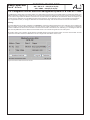
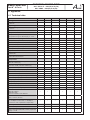
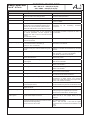
3.4.1 TTX processing/ VPS/ WSS.....................................................................................................................29
3.4.2 Options.....................................................................................................................................................29
3.4.3 Firmware updates (emergency program)................................................................................................29
3.4.4 Re-set to status on delivery (Factory settings).........................................................................................29
3.4.5 Integration into the head end management system for B-LINE or C-LINE.............................................30
4. Appendix...................................................................................................................................................................31
4.1 Technical data..................................................................................................................................................31
4.2 Accessories......................................................................................................................................................32
4.2.1 Accessories as standard..........................................................................................................................32
4.2.2 Optional accessories................................................................................................................................33
4.3 Glossary and abbreviations.............................................................................................................................33
5. Bibliography..............................................................................................................................................................35
6. Document history......................................................................................................................................................35
Declaration of Conformity......................................................................................................................................36
2
EMA x08/407
Part No: 917x.xx
ENCODER/ MULTIPLEXER
ASI / SDI/ A/V → ASI(TS) & IP(TS)
ASI / HDMI → ASI(TS) & IP(TS)
1. Installing and operating instructions
1.1 Safety instructions
•
When installing and commissioning the EMA, always follow the accompanying documents exactly.
•
The device may only be installed and set up by authorized persons.
•
While installing, follow the EMC regulations.
•
To ensure the equipment cooling, a space of at least one rack unit above and below the EMA must to be provided.
•
The device is provided to be installed on support rails in a 19“ cabinet.
•
All installation and cable connection are only allowed when the EMA is disconnected from the power supply.
•
Follow the provisions of DIN EN 50083, in particular, DIN EN 60728-11 [1] regarding safety must not be ignored.
•
The device are delivered under protection classification I . It is absolutely necessary to insert the mains plug into a fused socket.
•
Warning
When connecting external video sources that do not match the ground potential of the EMA, potential differences
can cause hum noise (potential equalization or potential separation necessary).
1.2 Contact
If there are any questions or problems, please contact:
BLANKOM Antennentechnik GmbH
Hermann-Petersilge-Str. 1
07422 Bad Blankenburg
Germany
Phone: +49 (0) 3 67 41 / 60-0
Fax: +49 (0) 3 67 41 / 60-100
Service hotline: +49 (0) 7000 / BLANKOM
+49 (0) 7000 / 252 65 66
e-mail: web: [email protected]
www.blankom.de
3
ENCODER/ MULTIPLEXER
EMA x08/407
ASI / SDI/ A/V → ASI(TS) & IP(TS)
ASI / HDMI → ASI(TS) & IP(TS)
Part No: 917x.xx
1.3 General description of functions
The EMA devices are cascadable MPEG encoder and transport stream multiplexer. They generate a personal digital program “bouquet“
in DVB transport stream (TS) format. The output signals are provided via an ASI TS interface and a separately adjustable IP interface.
The signals can be broadcast or fed in the cable TV network by using appropriate modulators.
Depending on the application, the devices hardware is pre-configured. Via user interface the operating parameters can be varied within a wide range.
EMA device variants:
EMA 308
EMA 308
EMA 308
EMA 308
EMA 308
9173.81
9173.82
9173.91
9173.92
9173.93
EMA 407 9174.71
EMA 407 9174.72
ASI / SDI/ A/V → ASI-TS & IP-TS (MPEG-2 SD), 85 ... 264 V~, 110...370 V– Power supply
ASI / SDI/ A/V → ASI-TS & IP-TS (MPEG-2 SD), 36...75 V– Power supply
ASI / SDI/ A/V → ASI-TS & IP-TS (MPEG-2 SD), 85 ... 264 V~, 110...370 V– Power supply (Customer variant)
ASI / SDI/ A/V → ASI-TS & IP-TS (MPEG-2 SD), RDS function, 85 ... 264 V~, 110...370 V– Power supply (Customer variant KDG)
ASI / SDI/ A/V → ASI-TS & IP-TS (MPEG-2 SD), RDS function, 36...75 V– Power supply
(Customer variant KDG)
ASI-TS (H.264/ AVC) → ASI-TS & IP-TS (MPEG-2 SD), 85 ... 264 V~, 110...370 V– Power supply
ASI-TS (H.264/ AVC) → ASI-TS & IP-TS (MPEG-2 SD), 36...75 V– Power supply
EMA 408 9174.81 SDI/ ASI-TS (MPEG-2) → ASI-TS & IP-TS (H.264/ AVC SD/ HD)
A/V → ASI-TS & IP-TS (H.264/ AVC SD), 85 ... 264 V~, 110...370 V– Power supply 1
EMA 408 9174.82 SDI/ ASI-TS (MPEG-2) → ASI-TS & IP-TS (H.264/ AVC SD/ HD)
A/V → ASI-TS & IP-TS (H.264/ AVC SD), 36...75 V– Power supply 1
EMA 408 9174.91 SDI/ ASI-TS (MPEG-2) → ASI-TS & IP-TS (H.264/ AVC SD/ HD)
A/V → ASI-TS & IP-TS (H.264/ AVC SD), 85 ... 264 V~, 110...370 V– Power supply 1 (Customer variant)
EMA 508 9175.81 SDI/ ASI-TS (MPEG-2)/ HDMI 2 → ASI-TS & IP-TS (H.264/ AVC SD/ HD), AC3, 85 ... 264 V~, 110...370 V– PSU
EMA 508 9175.82 SDI/ ASI-TS (MPEG-2)/ HDMI 2 → ASI-TS & IP-TS (H.264/ AVC SD/ HD), AC3, 36...75 V– Power supply
EMA 608 9176.81 SDI/ ASI-TS (MPEG-2) → ASI-TS & IP-TS (H.264/ AVC SD/ HD), AC3, 85 ... 264 V~, 110...370 V– Power supply
EMA 608 9176.82 SDI/ ASI-TS (MPEG-2) → ASI-TS & IP-TS (H.264/ AVC SD/ HD), AC3, 36...75 V– Power supply
EMA 708 9177.81 SDI/ ASI-TS (MPEG-2)/ HDMI 2 → ASI-TS & IP-TS (H.264/ AVC SD/ HD), 85 ... 264 V~, 110...370 V– Power supply1
EMA 708 9177.82 SDI/ ASI-TS (MPEG-2)/ HDMI 2 → ASI-TS & IP-TS (H.264/ AVC SD/ HD), 36...75 V– Power supply 1
1
2
AC3 pass through
currently HDCP encryption is not supported
Input channels
EMA 308
EMA 407
EMA 408
EMA 508
EMA 608
EMA 708
4
2
4
4
4
4
IN
OUT
AV
ASI + IP
MPEG-2 SD
√
SDI
ASI + IP
MPEG-2 SD
√
ASI
H.264/ AVC
ASI + IP
MPEG-2 SD
A/V
ASI + IP
H.264/ AVC SD
√
SDI
ASI + IP
H.264/ AVC SD/ HD
√
√
√
√
ASI
MPEG-2
ASI + IP
H.264/ AVC SD/ HD
√
√
√
√
HDMI1
ASI + IP
H.264/ AVC SD/ HD
SDI
ASI + IP
H.264/ AVC SD/ HD,
AC3
HDMI1
ASI + IP
H.264/ AVC SD/ HD,
AC3
Table 1: Device versions
√
√
AC3 pass
through
√
√
4
√
√
AC3 pass
through
AC3 pass
through
1
currently HDCP encryption is not supported
EMA x08/407
Part No: 917x.xx
ENCODER/ MULTIPLEXER
ASI / SDI/ A/V → ASI(TS) & IP(TS)
ASI / HDMI → ASI(TS) & IP(TS)
Up to four input signals are encoded at each device and fed-in the output transport stream. The ASI interface transmits the output
signal as a DVB transport stream according to ISO 13818-1 [5] at a maximum data rate of 214 Mbps. The signal can be sent either to a
cascaded EMA or to a downstream modulator. By cascading EMA devices (up to 8), a transport stream with up to 32 services can be
produced or these services can be added to an incoming transport stream.
The ASI input port processes a transport stream signal at a maximum rate of 214 Mbps. If the transport stream provides enough
transmission capacity, the encoded A/V signals are embedded via the integrated multiplexer according to the DVB standard.
The output signal contains all required program tables and associated services (PAT, PMT and SDT). A NIT is generated but will not
contain any network-specific information. A subsequent modulator adjusts the adaptation of the NIT.
1.4 Multiplexer/ Re-multiplexer/ PID filter
For processing the incoming ASI transport stream a multiplexer has been integrated into the EMA device. On condition that the
transport steam provides enough transmission capacity, or additional transport volume is achievable by raising the transport stream
bitrate, new services and/ or program components can be added.
Depending on the configuration of the 4 input interfaces, the analogue or digital A/V signals (SDI) will be converted into DVB data and
pooled to a standard DVB signal or added to the DVB transport stream being forwarded.
The parameters necessary for the input interfaces and the transport stream parameters have been pre-set at the factory (»section 3.2).
See section 3.3.4 for details of how EMA cascade systems using multiple devices are brought into use and how the transport stream
can be manipulated from the HTML user interface.
5
EMA x08/407
Part No: 917x.xx
ENCODER/ MULTIPLEXER
ASI / SDI/ A/V → ASI(TS) & IP(TS)
ASI / HDMI → ASI(TS) & IP(TS)
2. Explanation of the functional elements
2.1 Front view
Fig. 1: Front view - in this case: EMA 408
POWER (green colored LED)
LED on
Device switched on
System (green colored LED)
LED on
Internal system components are ready for operation.
LED flashing
Wrong parameter is chosen/ configuration error is recognised.
LED off
Internal fault
INPUT A, B, C, D (amber colored LED)
LED off
Input port is deactivated.
LED flashing
No standard signal is recognised at the input port.
LED on
Signal is recognised at the input port.
INPUT TS (amber colored LED)
LED off
Input port is deactivated.
LED flashing
ASI signal isn‘t recognised at the input port.
LED on
ASI signal is recognised at the input port.
Stream port
IP stream port
RJ45, Ethernet 10/ 100/ 1000, UDP/ RTP
2.2 Rear view
Fig. 2a: Rear view of the devices EMA 308, 407, 408, 608
Fig. 2b: Rear view of the devices EMA 508, 708
FACTORY SET
2.2.1 Input and output ports
*
VIDEO A, B, C, D
Video input port, FBAS/ SDI (configurable)
AUDIO A, B, C, D
Audio input port, analogue, SPDIF*
ASI IN
DVB transport stream input port
ASI OUT
DVB transport stream output port
NET
Ethernet interface, network connection point (device control, etc.)
RS232
Serial connection (firmware update, restoration of delivery status)
FACTORY SET
Resetting to delivery status (see section 3.4.5)
HDMI
HDMI input (EMA 508, EMA 708 only)
SPDIF: input of a digital audio signal; only available, if there are H.264/ AVC encoder modules (EMA 407/ EMA 408)
6
EMA x08/407
Part No: 917x.xx
ENCODER/ MULTIPLEXER
ASI / SDI/ A/V → ASI(TS) & IP(TS)
ASI / HDMI → ASI(TS) & IP(TS)
2.2.2 Pole allocation of the audio sockets (EMA 308, 407, 408, 608)
The audio input ports are symmetrical. If they are used asymmetrically, pin 1 and 3 must be allocated as signal lines and pin 4, 5 and 2
as return lines (shielding/ ground).
Operating mode/ Functionality
mono
not in use
dual
stereo
channel
right
B
channel
Pin
7 (n.c.)
3 (+)
5 (-)
Pin
Pin 8 = ground SPDIF
7
8
3
6
1
5
2
4
Operating mode/ Functionality
6 (SPDIF)
1)
1 (+)
stereo
dual
left
channel
channel
A
mono
signal
4 (-)
Pin 2 = shielding
Fig. 3: Pole allocation, audio socket
1)
SPDIF: input of the digital audio signal; only available, if there are H.264/ AVC encoder modules (EMA 407/ EMA 408)
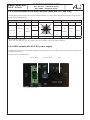
2.2.3 EMA variants with 48 V DC power supply
The EMA is also offered with a 48 V DC PSU (EMA x08: 917x.82, EMA 407: 9174.72). Make sure that here the specified voltage range
and polarity are observed.
The PSU on the rear of these devices:
DC connection
ON/ OFF switch
Fig. 4: 48V DC power supply
7
Fuse
EMA x08/407
ENCODER/ MULTIPLEXER
ASI / SDI/ A/V → ASI(TS) & IP(TS)
ASI / HDMI → ASI(TS) & IP(TS)
Part No: 917x.xx
3. Operating instructions
3.1 Commissioning of the EMA (EASY, without configuration)
Do all installing and connection work without mains voltage. It‘s absolutely necessary that you follow the safety notes (»section 1.1).
Connect the inputs for video, audio, HDMI and ASI signals at the appropriate connection points on the rear of the device with suitable
cables.
As soon as all wiring is done, the power supply can be connected and the device switched on. The operating status is shown by LED‘s
on the front panel.
Warning:
On delivery identical network parameters for all devices are preset. The setting and configuration of multiple devices within a network
must be done step by step (»section 3.3.1).
3.2 Basic settings on delivery (Factory settings)
When delivered EMA devices are optimal preconfigured according to the hardware assembly and the main use case. At the ASI output
port a transport stream is produced with a bit rate of 38 Mbps into which the data of the input signals will be included. The “ASI Main
Input” is not activated.
The delivery status can always be made by “Factory setting“ (see section 3.4.5). All program details and transport stream information
are neutral and can be adapted to match the requirements of the cable network operator.
To change the configuration, the HTML user interface is provided via the Ethernet interface (see section 3.3). The adjustments of the
installed encoder cards are set to the respective encoder mode automatically. The basic settings of the EMA devices are shown in the
following table:
EMA 308
EMA 407
EMA 408/ 508/ 608/ 708
IP address:
IP netmask:
IP gateway: SNMP trap (IP): 192.168.2.86
255.255.255.0
0.0.0.0
0.0.0.0
IP address: IP netmask: IP gateway: SNMP trap (IP): 192.168.2.86
255.255.255.0
0.0.0.0
0.0.0.0
IP address: IP netmask: IP gateway: SNMP trap (IP): 192.168.2.86
255.255.255.0
0.0.0.0
0.0.0.0
Login password:
neu
Login password:
neu
Login password:
neu
For the operating mode transcoder from
H.264/ AVC to MPEG-2 SD the following
is to be set:
General Selections:
PSI mode: DVB
ASI main input: OFF
(Hardware slot A..D: MPEG-2)
Slot operating mode: SDI emb. audio
Mapped channel: OFF
IP out streaming: OFF
Slot Parameter:
Program name: Program language: Video system: System bit rate: Audio bit rate: Audio mode: Video format: Audio channel pair:
Audio volume: Cable equalizer: TTX processing: VPS, WSS, CC: Prog-A..D
deu
PAL/ SECAM (50Hz)
6000 kbps
320 kbps
stereo
4:3
1+2
0 dB
OFF
Video-IN
OFF
General Selections:
PSI mode: DVB
ASI main input: OFF
(Hardware Slot A+C: H.264/ AVC)
(Hardware slot B+D: MPEG-2)
Slot A+C op. mode: decoder
Slot B+D op. mode: intern
Mapped channel: OFF
IP out streaming: OFF
Slot Parameter Slot A+C:
Video system: PAL/ SECAM (50Hz)
Video format: 625/ 525
TS input: Slot Input
Input service ID:
0x ..... (Auswahl)
Input format: HD 1080i
Slot Parameter Slot B+D
Program name: Prog-B (D)
Program language: deu
Video system: PAL/ SECAM (50Hz)
System bit rate: 6000 kbps
Audio bit rate: 320 kbps
Audio mode: stereo
Video format: 16:9
8
General Selections:
PSI mode: DVB
ASI main input: OFF
(Hardware slot A..D: H.264/ AVC)
Slot A..D op. mode: SDI emb. audio
Mapped channel: OFF
IP out streaming: OFF
Slot Parameter:
Program name: Program language: Video system: Video format: System bit rate: Audio bit rate: Audio mode: Audio channel pair:
Audio volume: Cable equalizer: TTX processing: Prog-A..D
deu
PAL/ SECAM (50Hz)
625/ 525
6000 kbps
320 kbps
stereo
1+2
0 dB
OFF
Video-IN
EMA x08/407
Part No: 917x.xx
ENCODER/ MULTIPLEXER
ASI / SDI/ A/V → ASI(TS) & IP(TS)
ASI / HDMI → ASI(TS) & IP(TS)
EMA 308
EMA 407
EMA 408/ 508/ 608/ 708
Channel Mux:
ASI output mode: continous
Bytes per packet: 188
TS out bit rate: 38000 kbps
TS ID: XXXXX (device no.)
Provider name:
Provider
Network ID: 100
Original network ID: 1
Create TDT/ TOT: ON
Create NIT: dummy
Cascade number: 1
Device within cascade:1
Table extension:
OFF
Channel Mux:
ASI output mode: continous
Bytes per packet: 188
TS out bit rate: 38000 kbps
TS ID: XXXXX (device no.)
Provider name: Provider
Network ID: 100
Original network ID: 1
Create TDT/ TOT: ON
Create NIT: dummy
Cascade number: 1
Device within cascade:1
Table extension: OFF
Channel Mux:
ASI output mode: continous
Bytes per packet: 188
TS out bit rate: 38000 kbps
TS ID:
XXXXX (device no.)
Provider name: Provider
Network ID: 100
Original network ID: 1
Create TDT/ TOT: ON
Create NIT: dummy
Cascade number: 1
Device within cascade:1
Table extension: OFF
Table 2: Basic settings
3.3 Settings via Ethernet interface
If it is necessary to change the basic configuration or to create a cascade of more than one EMA device to create a DVB transport stream
(see Fig. 20), the particular HTML user interface must be called up on a computer connected to the device(s). All the settings can be
made via Internet browser. How the user interface works is almost self-explanatory. Any special features of use will be explained in the
following chapters.
3.3.1 Network connection to the computer
System requirements:
•
•
PC/ laptop with an Ethernet interface 10/ 100 Mbps
Internet browser (such as Windows Internet Explorer, Mozilla Firefox or similar)
Making the connections:
The EMA device has to be connected to PC network using an Ethernet cable. Use a crossed-link cable for a direct connection to a PC.
The IP address of the EMA is 192.168.2.86 on delivery.
In order to access the web interface of the EMA device from a PC, the PC has to be in the same subnet (192.168.2.XXX; subnet mask
255.255.255.0), where XXX is not used by any other device in this subnet. If multiple EMA devices are connected to the same network
each device must be set to its own unique IP address to avoid address conflicts.
After these settings, the IP address of the PC has to be adjusted to match the network. Now the devices can be accessed via browser
with the new IP address.
Connection setup:
When the IP address for the device has been entered into the address field of the browser, a connection will be made to the relevant
device and the appropriate log-in window will be displayed:
Fig. 5: Log-in window
As “serial number“ a 5-digit serial number of the device is entered. This number can be found on the rear of the device.
Access to the configuration menu is password protected. On delivery, the password is: neu.
Please note:
If the password or the IP address are unknown or have been forgotten, pressing the “FACTORY SET“ key on the rear of the device will
return the details to what they were on delivery (»section 3.4.5).
The device will then have access and basic settings as described above. Any setting which has already been individualised, will, of
course, be lost.
9
EMA x08/407
Part No: 917x.xx
ENCODER/ MULTIPLEXER
ASI / SDI/ A/V → ASI(TS) & IP(TS)
ASI / HDMI → ASI(TS) & IP(TS)
3.3.2 Configuration menu (HTML page)
After successful registration the configuration menu is displayed. It is divided into the two following sections:
System | Modules | Output | Streaming | Status.
The menus are are arranged as tabs on the left. By clicking at the tab you will skip in the associated menus. These menus are subdivided and sub-menus are arranged above as registers. By pressing at these you can switch from one to the other sub-menus.
In each menu a „Help“ button in the lower part of the user interface leads into a separate bilingual „help“ window (German / English).
The button „Save to device“ sets and saves the done settings on the device. „Load from device“ fetches the on the device saved data
into the web interface.
Anything pre-set under “Factory Setting” is typed with an underline.
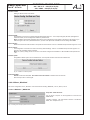
Fig. 6: Web interface, start page of the configuration menu
3.3.2.1 Menu “System”
Here you configure the system parameters of the device. „System“ is structured as the following:
EtherNet | General | SysParam | Maintenance.
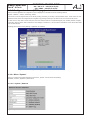
3.3.2.1.1 System | Ethernet
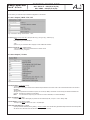
Fig. 7: Settings for the Ethernet network interface
10
EMA x08/407
Part No: 917x.xx
ENCODER/ MULTIPLEXER
ASI / SDI/ A/V → ASI(TS) & IP(TS)
ASI / HDMI → ASI(TS) & IP(TS)
use DHCP: [ON/ OFF] Allocation of IP address, default : 192.168.2.86
“ON“
when starting up the program an IP address via DHCP server is requested once. If the request fails, the default IP
address is used.
“OFF“
The default IP address is used.
IP address: [0.0.0.0 ... 192.168.2.86 ... 255.255.255.255]
A default IP address for the case that “use DHCP“ is set to “OFF“, or no DHCP server could be reached.
IP subnet mask: [0.0.0.0 ... 255.255.255.0 ... 255.255.255.255]
The mask corresponding to the IP address.
IP gateway: [0.0.0.0 .. 255.255.255.255]
IP address for a possibly used gateway in the network. The definition of a gateway address is only required if the device is to
send SNMP traps to a server that is accessible via a gateway only.
SNMP Trap IP address: [0.0.0.0 .. 255.255.255.255]
IP address to a possilble used SNMP trap manager. Important device functions are constantly monitored and possibly
forwarded as an SNMP trap to a superior manager. Depending on hardware, the following system messages can be sent:
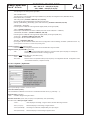
ENCODERASI-INDevice
EncA no input ASI-IN overrun Fan OFF
EncA error Encoder TS overrun Fan ON EncB no input ASI-In no input Device has started
EncB error
ASI-In error Reload Parameter
EncC no input Default error
EncC error
EncD no input
EncD error
3.3.2.1.2 System |General
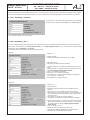
Fig. 8: Standard operating mode (EMA 408 , 508, 608, 708)
Setting the operating mode is based on the equipped hardware. Changes in this section need to be saved (“Save to Device“) to
adapt the relevant configuration entries.
PSI Mode: [DVB/ ATSC]
Multiplexer mode according to the national transmission standard
ASI Main Input: [OFF/ Loop → TS Out/ Mux with Intern/ Flt-DROP & MUX]
“OFF“
Input deactivated;
“Loop → TS Out“
Loop-through of the signal ASI-IN → TS Out;
“Mux with Intern“
All services of the TS at the ASI input can be multiplexed with the internally generated services to a common TS.
„Flt-DROP & MUX“
Selected services of the TS at the ASI input can be multiplexed with the internally generated services to a common TS.
The selection of the filtered out services is done via “Drop Services“ in the header of the configuration.
Warning: If there are overlaps of the PID/ SID the relevant services of the TS from ASI-IN will be deleted. To avoid the
consequences of this PID collision, use the menu „table script“ (p. 18). Automatically assigned PID‘s of the internal encoder
A ... D can be modified here (PID remapping).
Slot A..D (Encoder moduls): [OFF/ CVBS/ SDI, emb. Audio / SDI, analouge Audio / [ASI-TS ]/ [CVBS-SPDIF] / [SDI-SPDIF] /
Intern / Transcoder / Decoder]
The hardware configuration is automatically detected. The purpose of their possible modes are provided.
“OFF“ The module is deactiviated.
11
EMA x08/407
Part No: 917x.xx
ENCODER/ MULTIPLEXER
ASI / SDI/ A/V → ASI(TS) & IP(TS)
ASI / HDMI → ASI(TS) & IP(TS)
“CVBS“ (available in EMA 308, 408, 608)
The input signal is an analogue A/V signal (SD).
“SDI embedded Audio“
The input signal is a serial digital video signal (MPEG-2 only SD-SDI) with integrated audio (AES-EBU, 48kHz),
teletext (WST/ PAL) is possible.
“SDI analog Audio“ (available in EMA 308, 407, 408, 608)
Input signal SDI with possible teletext and analogue audio input.
[ASI-TS], [CVBS-SPDIF], [SDI-SPDIF] (option with restrictions): (available in EMA 308, 408, 608)
“CVBS-SPDIF“/ “SDI-SPDIF“
Processing of the CVBS/ SDI video signals with digital (SPDIF) audio signal (PCM).
“Intern“ (available in EMA 407)
Internal input of the MPEG-2 encoder is enabled (transcoder mode H.264/ AVC → MPEG-2).
„CVBS-SPDIF, SDI-SPDIF“ (available in EMA 308, 408, 608)
Processing of the CVBS/ SDI video signals with digital (SPDIF) audio signal (PCM/ AC3)
“Transcoder“ * (available in EMA 408, 508, 608, 708)
Input signal is TS with a selected MPEG-2 service.
“Decoder“ * (available in EMA 407)
Input signal is TS with a selected H.264/ AVC service (configuration of the TS feeding, see below.: parameter “Slot-A .. D“)
*
special operation, see section 3.3.3 Transcoder operating mode
TS Player (Option): [OFF/ Play from HDD]
If a hard disk player is integrated, the feature can be activated with “Play from HDD“ .
Mapped Channel (Dynamic PMT): [OFF/ ON]
“ON“ Allows a PMT (Program Map Table) influence in connection with option TS player, for example for
switching transmission windows in existing programs.
IP-Out Streaming: [OFF/ Simple UDP (rear) / RTP/UDP (front)]
“OFF“deactivated
“RTP/ UDP“
Stream function via separate stream port (front panel), 16 configurable channels. Configuration under
“IP-Out Stream Interface“ (»chapter 3.3.2.2.8)
3.3.2.1.3 System | SysParam
Fig. 9: System settings for real time, encoder, fan control
Local Time Offset (to UTC):
This is the difference between local time and “Coordinated Universal Time” (e.g. Germany = 1).
Daylight Saving: [ON,OFF]
“ON“
automatic daylight saving time switch
Encoder: Show Grid: [never, Auto (no input), Force (Testmode), Auto (show black)]
Encoder mode, if SDI input signal is failure.
“never“: never displays a test image, if signal is failure, the last valid image is frozen.
“Auto ( no input)“:
automatic display of a test image, if signal is failure
“Force (Test Mode)“: Test image is constrained, independently from input signal
“Auto (show black)“: automatic display of a black image if signal is failure
12
EMA x08/407
Part No: 917x.xx
ENCODER/ MULTIPLEXER
ASI / SDI/ A/V → ASI(TS) & IP(TS)
ASI / HDMI → ASI(TS) & IP(TS)
Encoder H.264-SD: [Show Line 23, Suppress Line 23 (WSS)]
“Show Line 23“: SD-SDI signal is converted with visible WSS line 23 in H.264
“Suppress Line 23 (WSS)“: line 23 is suppressed.
H.264: [DecRST]: [OFF, ON@Cycl, ON@PMT]
„ON@Cycl“: cyclical synchronization of the decryption process
„ON@PMT“: synchronization of the decryption process with a dynamic PMT change
MPEG-2: Audio Frames per PES Block:[1..4..8]
Encoder parameter of audio block size
FAN “ON“ above Temperature in °C: [0..50..100]
Switching threshold of the device fan.
3.3.2.1.4 System | Maintenance
Fig. 10: help functions
Set Password:
The password for the configuration access
Rules: • max. 8 characters
• upper- and lower case letters, numbers
• no special characters
• no umlauts
Fig. 11: change password
13
EMA x08/407
Part No: 917x.xx
ENCODER/ MULTIPLEXER
ASI / SDI/ A/V → ASI(TS) & IP(TS)
ASI / HDMI → ASI(TS) & IP(TS)
Set Date & Time:
Setting of date and time of the device.
Fig. 12: set date and time
Download MIB:
All parameters can be set via „Simple Network Management Protocol“. The corresponding file „ME.mib“ (Management
Information Base) for the management software is provided here.
Note: The MIB is automatically generated according to the configuration and provided on the device. That means, if you
make changes in the menu „General Selections” you first must upload the new MIB for further settings with SNMP.
Device Restart:
Restart of the device and the interface is set up with the stored values. There is no available transport stream signal for 10 sec.
Factory setting:
The configuration of the device is reset to the factory default settings. There is no available transport stream signal for 10
seconds. The IP address will be preserved.
Note: The „Factory setting“ button on the rear of the device changes the IP address to 192.168.2.86 and the password to
„neu“.
Activate Option:
Chargeable software options can be enabled here. The acquired activation code must be entered here.
Fig. 13: activation of software optioins
Format HDD/SDC:
Deletes all data from HDD/SDC. This action cannot be undone! It will take about 30 seconds
while the output has no valid signal.
3.3.2.2 Menu „Modules“
This is the configuration menu. „Modules“ is structured as the following: MAIN ASI | Slot A | Slot B | Slot C.
3.3.2.2.1 Modules | MAIN ASI
Drop Filter: Select Services:
Link to call the “drop-list“ for the suppression of services from
MAIN ASI-IN.
(»System→General“ „ASI Input Mode“ selection: “Flt-DROP &
MUX“, see »chapter 3.3.2.1.2).
Fig. 14: Setting of the ASI input (with service mode filter)
14
EMA x08/407
Part No: 917x.xx
ENCODER/ MULTIPLEXER
ASI / SDI/ A/V → ASI(TS) & IP(TS)
ASI / HDMI → ASI(TS) & IP(TS)
Filter function for the activated input transport stream (TS IN) to remove unwanted services (programs). The function is only available if
in “General Selection“ the field “ASI Main Input→Flt-DROP & MUX“ is selected and enabled with “Send“.
Provided is a table of all present services (programs) at the input. The selected services will be removed from the transport stream.
Fig. 15: Open drop-table. All present services at the ASI-IN are displayed. The marked services in the column “Drop“ are not forwarded.
Cable Equalizer: [OFF, ON]
Using longer cables to fed in the signal, an equalizer can be switched on that input.
Source of Intern TS: [Main ASI-IN/ ASI-Out]
Selective function for internal signal feed for transcoder/ decoder operation mode.
3.3.2.2.2 Modules | Slot-A | Slot-B | Slot-C | Slot-D
In this menu you make the settings for the encoder A. All following setting notes apply to the encoders B ... D.
Fig. 16: Setting of encoder parameters for the individual input channels (EMA 408, SDI input signal)
Fig. 17: Setting of encoder parameters for the individual input channels
(EMA 308, analogue input signal)
Program Name:
Assign a name for each imported or transformed program. The program name is displayed on the terminal equipment (TV).
The program name must be unique and may exist only once in a cascade of encoders. The maximum length is 16 characters.
Program Language: [deu, eng, ...]
Identifies the language for the audio data stream and teletext. It should correspond to ISO 639-2 [4].
Video System: [PAL/ SECAM (50 Hz), NTSC (60 Hz), OFF (Digital Radio), OFF (Audio Channel)]
Sets the type of the input video signal. The following signal types are processed: at 50 Hz/ 25 fps - PAL (B, D, G, H, I, N, Nc) and SECAM; at 60 Hz/ 30 fps - NTSC (J, M, 4.43) and PAL (M, 60). In the “OFF-Radio” setting, the video signal is ignored and
a digital radio channel is generated. With the “Table Extension“ this can be assigned to other encoders as an additional audio
channel.
Video Format: [SD 576i/ 480i, HD 720p (1280x720), HD 1080i (1920x1080)]
The chosen configuration must match the parameters of the encoder input signals.
Aspect Ratio (SD only!): [4:3, 16:9, Use WSS]
Set, how the video input signal for the MPEG header should be interpreted. „Use WSS“ evaluates only „16:9 Fullformat“.
Anything else is streamed in a 4:3 format. Requirement is VPS-WWS=WSS or VPS+WSS
System Bitrate: [1000..6000..15000 kbps]
Here the bandwidth is established for audio, video and table data in the relevant encoder (slot). The value is only an upper limit. The bit rate actually generated will be slightly slower and will not be absolutely constant.
15
EMA x08/407
Part No: 917x.xx
ENCODER/ MULTIPLEXER
ASI / SDI/ A/V → ASI(TS) & IP(TS)
ASI / HDMI → ASI(TS) & IP(TS)
Audio Bitrate: [64..320..384 kbps] This determines the audio data bit rate. It is an element of the system bit rate.
Audio Mode: [Stereo/ Joint Stereo/ Dual Channel/ Mono/ use VPS]
identifies the type of audio data.
“use VPS“ adopt the identification transferred within the VPS signal into the MPEG data stream (audio header).
Audio Typ: [PCM→MP-2, PCM→AC3, AC3 pass through, PCM→E-AC3 (DD+), E-AC3 pass through]
„PCM→MP-2“: Sound signal is changed in MPEG-1, Layer 2 format (DVB standard)
„PCM→AC3“: Sound signal is changed in AC3 format (available in EMA 508, 608)
„AC3 pass through“: An AC3 sound signal existing in input signal is adopted into the output signal.
(available in EMA 408, 508, 608, 708)
„PCM→E-AC3 (DD+)“: Sound signal is changed in E-AC3 (DD+) (available in EMA 508, 608)
„E-AC3 pass through“: the in the input soignal included E-AC3 signal is applied to the output signal.
(available in EMA 408, 508, 608, 708)
Audio Channel Pair (SDI): [1/2 .. 15/16]
When SDI with embedded audio is being transmitted, it can be selected an audio signal pair for the processing.
‚dB‘ Audio Volume (SDI): [-6..0..6]
Decrease or increase the audio level.
Audio Input Impedance (analogue):
Input impedance switch: 600 Ω/ 10 kΩ
Audio Input Level (analogue):
Adjustment of the audio level at the input.
TTX Processing: [OFF, Video IN, Intern (ViTex)]
“OFF“ Feature deactivated.
“Video IN“ The teletext of the video input signal is converted to DVB compliant data packets and is transmitted in the TS.
“Intern“ With additional software (Vitex), a separate teletext can be generated (only available for SD video signals).
VPS-WSS-CC: [OFF/ VPS/ WSS/ VPS+WSS/ Closed Captions]
VPS and/ or WSS lines of the video input signal are converted to DVB compliant data packets and transmitted in the transport
stream. For NTSC input signals “Closed Captioning“ can be processed - only available for SD video signals
(available in EMA 308, 407).
16
EMA x08/407
ENCODER/ MULTIPLEXER
Part No: 917x.xx
ASI / SDI/ A/V → ASI(TS) & IP(TS)
ASI / HDMI → ASI(TS) & IP(TS)
3.3.2.3. Menu „Output“
In this menu you make the output-related configuration of the device.
3.3.2.3.1 Output | MUX / TTX / EIT
Fig. 18: Parameter settings “Additional Data → MUX“
Create EIT: [OFF (Loop from ASI) / ON (own EIT only) / ON (p/f only) / ON-Line-p/f]
“OFF“
EIT forwarding from MAIN ASI IN
“ON“
Options only in connection with TS player or with additional software
Hbb TV: Create AIT [OFF, ON (fixed link)]
„ON (fixed link)“: The AIT has a fixed link to a HbbTV server
» www.vitex.tv/hbbtv_config.html
3.3.2.3.2 Output | TS-Out
Fig. 18: Parameter settings for the transport stream configuration
TS Output Mode: [Continuous/ Burst]
“Continuous Mode“
All the bytes in the output stream have a fixed temporal distance from each other. The maximum data rate in this mode is
98 Mbps. “Burst Mode“
All bytes of a packet are sent without a space, as a burst (27 MHz). The bitrate is enforced by the distance between the
packets. Possible is a maximum of 214 Mbps.
Note: For an active IP output only the continuous mode is available, for maximal 98 Mbps.
Bytes per Packet: [188/ 204]
For the TS-Out 188 or 204 bytes per packet can be selected (mode „Loop IN → OUT“ always 188).
TS OUT Bitrate: [1000..38000..214000]
The output bit rate can amount to 1,000 .. 214,000 kbps.
TS-ID (PAT, SDT, NIT, EIT): [1..65535]
(Transport stream Identifier) Factory setting = device number. This is the ID of the generated transport stream in the transponder.
All devices of a cascade must use the same TS ID (»chapter 3.3.4.2).
17
EMA x08/407
Part No: 917x.xx
ENCODER/ MULTIPLEXER
ASI / SDI/ A/V → ASI(TS) & IP(TS)
ASI / HDMI → ASI(TS) & IP(TS)
Provider Name: [Provider]
For the generated transport stream the “Program Provider“ can assign a name. The name for a particular TS ID should be the
same in all devices in a cascaded system. The length of the name is limited to 16 characters.
Network ID: [1..100..65535]
Unique identifier for the network, e.g. the number of the cable network. The network ID of all transport streams generated in
a network should be the same.
Original Network ID: [1..65535] Information to identify the origin.
Create TDT/ TOT: [OFF, ON]
generates time control files with the help of the internal RTC (Real Time Clock) and the ”Local Time Offset“
Create NIT: [OFF, dummy, Cable, Satellite, Terrestrial]
“OFF“
No NIT (network information table) is generated.
“dummy“ The multiplexer creates an empty NIT as place-holder (extendable with table script)
“Cable“, “Satellite“, “Terrestrial“
The NIT is produced with the appropriate specification but without any details of frequency.
Cascade Number within Network: [1..64]
Cascade number: to distinguish equipment installed cascade within a transmission network. It must be the same number for
all devices of a cascade and it serves to generate unique program numbers (designated by service ID), »chapter 3.3.4.2
Device within Cascade: [1..8]
Device number: to distinguish the installed devices within a cascade. It is used to generate unique program numbers (service
ID) and PID‘s automatically.
Table Extension: [OFF, ON]
Extension of the device configuration via script programming (expert mode, for example to affect the automatic generated PID
and SID).
“OFF“ no script processing
“ON“ Providing the function call “Table Script“ in the header of the configuration. Script processing is enabled.
Notes: PID/ SID will be assigned to the configured slots (programs, channels) automatically according to a fixed system. By providing
unique device numbers in a cascade as well as clear cascades numbers ensures that the values do not overlap. Are “foreign“ transport
streams on ASI input processed, there is the suppression of such signals by overlapping the SID/ PID values. To avoid this, the device
configuration must be adapted. Where appropriate, with the option “Table Extension“ an individual assignment within the unit generated
PID/ SID is necessary (»table 4 in chapter 3.3.4.2).
18
EMA x08/407
Part No: 917x.xx
ENCODER/ MULTIPLEXER
ASI / SDI/ A/V → ASI(TS) & IP(TS)
ASI / HDMI → ASI(TS) & IP(TS)
3.3.2.3.3 Output | Expert Mode
Here you can program special configurations via table script. Activate the function under „Output → TS-Out” (»chapter 3.3.2.3.2)
Table Script-configuration of parameters outside the default values
The option “Table Extention“ provides a tool with which specific DVB system parameters outside the given range in the web interface
can be set or changed. Activate the feature in the menu “Output | TS Out“ → “Table Extension“ and save the configuration (“Save“ or
“Save to device“). Now a “Script Table“ button is displayed which leads to the script editor.
Fig. 20: Open script editor of the web interface with prepared “empty“ script
Script structure:
- the key lines #SA and #SEnd are condition
- each section (starting with #) must be included only once
- a NIT section is only functional when the device creates its own NIT. In this case, all NIT of ASI IN are deleted (It‘s impossible to mix
external and internal NIT).
- spaces are delimiters before or between the words, they are a factor without any influence
- a semicolon “;“ openes the comment section. Values can be decimal, hexadecimal and expressed as a byte value with “A“.
- The activation of a script is done by pressing the “Send Script“ button. Changed values can be reviewed at the transport stream output.
- The basic function can be checked via the status page 190th. In the lower part of the table of the error status of the script
processing TblErr: is displayed:
0: Skript OK
2: Error in NIT section
8: Error in CHN section (x=0..3 for CHN A..D)
The archiving or the creating of a backup script can only be done by copying the relevant lines and saving them in a text file.
Example of a scripting application:
#CHN:A
SID = 1010 ; sets the service ID to 1010
PMT = 0x400 ; sets the PMT PID to 1024 (400 Hex)
#CHN:C
Bright = 20 ; The brightness of the composite signal applied at input C is raised to the value 20,
The values range is from -127 to +127.
PMT = 100 ; sets the PMT PID to 100
#NIT
LCN = 20,1010 ; sets the logical channel number of the service 1010 to 20.
“Reset“ of scripts
If the script version doesn‘t run, you can enforce a factory setting for the script by conducting the following steps:
- delete your complete script
- send the blank window to the device
- press the “Table Script“ button to call the editor with the default script
19
EMA x08/407
Part No: 917x.xx
ENCODER/ MULTIPLEXER
ASI / SDI/ A/V → ASI(TS) & IP(TS)
ASI / HDMI → ASI(TS) & IP(TS)
3.3.2.4 Menu „Streaming“
Here the configuration of the IP stream ports are done. The output of the IP stream module is allocated via a separate RJ45 socket at
the front panel, parallel to the rearward ASI output. It can be programmed individually depending on the requirements of the stream.
3.3.2.4.1 Streaming | Interface
In this menu you can make individual settings of the streaming
module for the IP Address, the IP NetMask , IP GateWay adress.
Fig. 21: Parameter settings of the ethrnet interface
3.3.2.4.2 Streaming | Str-1
Here you configure the first streaming channel. The settings for the overall 16 possible streaming channels are made the same way.
Each stream can be defined as a multi program stream or as a single program stream. It runs, accordig to the IP address field
specification, either as Multicast or as Unicast.
The settings can be made separetly for each streaming channel.
Example 1:
• stream no.=1
• stream activated
• transmits to the target IP 192.168.10.78, port 6200
• with UDP protocol
• FEC mode (for UDP without functionallity)
• „present / following“ information are applied from the TS EIT
table
• service selection= 0: applies all services contained in the ASI
TS (multi program transport stream, MPTS)
• TS ID = 0: ID remains unchanged
• Network ID = 0: ID remains unchanged
• user data rate=0: TS out bit rate is adopted unchanged into
the IP stream [0 ... 65535 max]
• User Datarate≠0: »chapter 3.3.2.3.2
Fig. 22: IP stream configuration (example 1)
Example 2:
• stream no.=2
• stream activated
• transmits to target IP 192.168.10.78, port 6200 incl. RPT
protocol
• FEC mode L=5 (communicate with the receiver via RTP
protocoll within error correction mode L=5. The receiver must
be configured with identical settings and has to support the
correction mode.)
• FEC mode D=0 (correction mode is disabled)
• „original EIT“ information are applied from the TS EIT table
Fig. 23: IP stream configuration (example 2) • single service selection= 16: the service contained in the ASI
TS can also be selected via the link „Selection“. It is provided
on channel 2 of the IP stream (Single program transport
stream, SPTS)
• TS ID = 4: The TS ID is set to 4
• network ID=100: The network ID is set to 100
• user data rate=8000: independently to the data content,
8000 Kbps are provided within the IP stream
20
EMA x08/407
Part No: 917x.xx
ENCODER/ MULTIPLEXER
ASI / SDI/ A/V → ASI(TS) & IP(TS)
ASI / HDMI → ASI(TS) & IP(TS)
3.3.2.5 Menu „Status”
In this menu, you get technical information and status indications for service and remote maintenance.
3.3.2.5.1 Status | Pg 190
Here is a overview of the bit rates at the respective inputs and outputs of the device.
Fig. 24: overview of the bit rates
3.3.2.5.2 Status | Pg 192
This page contains the display of the transport stream parameters.
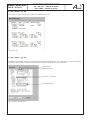
Fig. 25: transport stream parameters
21
EMA x08/407
Part No: 917x.xx
ENCODER/ MULTIPLEXER
ASI / SDI/ A/V → ASI(TS) & IP(TS)
ASI / HDMI → ASI(TS) & IP(TS)
3.3.2.5.3 Status | Pg 196
At this point, you get an overview of the modes of the individual slots (A.. D).
Fig. 26: Slot modes
3.3.2.5.4 Status | Pg 197
This displays an information and function overview of each device part (z.B. display, disk, fan), system status (z.B. device temperature,
offset time), network address, the serial number of the device and the software version of each component.
Device software
Baseboard software
Encoder (A ... D) software
IP frontend software
Fig. 27: Information about the device
22
EMA x08/407
Part No: 917x.xx
ENCODER/ MULTIPLEXER
ASI / SDI/ A/V → ASI(TS) & IP(TS)
ASI / HDMI → ASI(TS) & IP(TS)
3.3.2.5.5 Status | Pg 198
At this point you can view the log.
Fig. 28: Log
3.3.3 Transcoder operating modes
The in the EMA 407 and EMA 408 used H.264/ AVC encoder modules contain decoding functions for MPEG-2 (HD/ SD) signals and an
encoder unit producing H.264/ AVC signals for signal processing of DVB signals. Per combinations of the function groups the following
transcodings, each with a H.264/ AVC encoder, are possible:
MPEG-2 HD → H.264/ AVC HD
MPEG-2 HD → H.264/ AVC SD
MPEG-2 SD → H.264/ AVC SD
Note:
Up-scale funktions for the generation of HDTV signals from SDTV signals are not available!
The signals from the demodulator functional group can be supplied via an internal bus to an MPEG-2 encoder in the adjacent slot to
generate a MPEG-2 service.
In EMA 407, two groups of such modules are included. They enable the following transcoder modes:
H.264/ AVC HD → MPEG-2 SD
H.264/ AVC SD → MPEG-2 SD
23
ENCODER/ MULTIPLEXER
EMA x08/407
ASI / SDI/ A/V → ASI(TS) & IP(TS)
ASI / HDMI → ASI(TS) & IP(TS)
Part No: 917x.xx
3.3.3.1 EMA 408 transcoder, MPEG-2 to H.264/ AVC
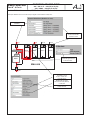
Example: MPEG-2 service from the ASI input signal is transcoded to H.264/ AVC.
ASI input is
activated.
Encoder in slot A
is set to transcoder
operation mode.
ASI-IN
BNC
Service filter
ASI-IN
ASI-IN
ASI-IN
BNC
DIN ASI
BNC
DIN ASI
BNC
DIN ASI
BNC
DIN ASI
Slot A
Slot B
Slot C
Slot D
Transcoder
FIFO
RAM
MUX
Module bus
TS internal
Selection=ASI-IN
Main ASI-IN is provided
as internal signal source
at the encoders.
EMA 408
BNC
ASI-OUT
Input signal of the
encoders in slot A
is set to “Intern TS“ .
from the TS the
MPEG-2 HD program
with service ID 20 (0x0014)
is selected.
Output signal is
H.264/ AVC HD.
24
EMA x08/407
Part No: 917x.xx
ENCODER/ MULTIPLEXER
ASI / SDI/ A/V → ASI(TS) & IP(TS)
ASI / HDMI → ASI(TS) & IP(TS)
3.3.3.2 EMA 407 Transcoder, H.264/ AVC to MPEG-2
Example: A H.264/ AVC service from the ASI input signal is transcoded to MPEG-2 SD.
Maximum 2 per unit, services can be implemented in this mode.
ASI input is
activated.
Encoder in slot A
is set to decoder
operation mode.
ASI-IN
BNC
Service filter
FIFO
RAM
MUX
BNC
DIN ASI
BNC
DIN ASI
BNC
DIN ASI
BNC
DIN ASI
Slot A
Slot B
Slot C
Slot D
H.264/ AVC
MPEG-2
H.264/ AVC
MPEG-2
Decoder
Encoder
Decoder
Encoder
Module bus
TS internal
Selection=ASI-IN
Encoder in Slot B
is set to signal
feeding internal.
EMA 407
BNC
ASI-OUT
ASI main input is active
and is provided to the
encoders as
internal signal source.
Input signal of the
encoder A is set to
“Intern TS“.
The H.264/ AVC HD
service (SID 45) is
passed in the mode
decoder through the
internal output to the
MPEG-2 encoder.
The signal from internal
input is encoded to a
MPEG-2 service.
25
ENCODER/ MULTIPLEXER
EMA x08/407
ASI / SDI/ A/V → ASI(TS) & IP(TS)
ASI / HDMI → ASI(TS) & IP(TS)
Part No: 917x.xx
3.3.4 Detailed configuration (for single and multiple device systems)
Depending on the task and the desired number of channels per DVB transport stream, the devices can be operated individually or in
groups (cascades) of up to 8 devices.
3.3.4.1 The 1-device system
This is the configuration on delivery. Possible detailed configuration options are:
IP address IP subnet mask TS ID Provider name Network ID Program name System bit rate TS out bit rate the default is 192.168.2.86
the default is 255.255.255.0
the default is die the 5-digit serial number
the default is “Provider“
the default is “100“
the defaults are “Prog-A“ ... “Prog-D“
the default is 6,000 kbps
the default is 38,000 kbps
All the setting options can be found in section 3.3.2 or on the on-line (internet) help page. The default is 4 channels with standard figures
for the system bit rate. It is possible to change these pre-set bit rates as long as the set “TS Out bit rate” is taken into consideration
(»section 3.3.5).
3.3.4.2 The multiple device system (commissioning cascades)
The fact that the EMA devices can be cascaded means that multi-device systems can be created so that DVB transport streams
exist for up to 32 services. Multi-device systems have to be used if more than 4 new services (this means TV programmes with their
additional informations) have to be combined into a transport stream or added to one. If this is done, changes need to be made to the
set parameters for all devices from the HTML pages.
Additionally signal connections ASI-OUT/ IN must be made between the devices using 75-ohms BNC cables. (see Fig. 24).
Data/ configuration (Ethernet)
MPEG ENCODER/
Multiplexer 1
Ethernet
DVB transport stream (max. 214 MBit/s)
Signal 1 (AV/ SDI)
Signal 2 (AV/ SDI)
Signal 3 (AV/ SDI)
Signal 4 (AV/ SDI)
Signal 5 (AV/ SDI)
Signal 6 (AV/ SDI)
Signal 7 (AV/ SDI)
Signal 8 (AV/ SDI)
ASI main input
A
B
C ASI out
D
MPEG ENCODER/
Multiplexer 2
Ethernet
TS1
ASI in
A
B
C ASI out
D
Signal 9 (AV/ SDI)
Signal 10 (AV/ SDI)
MPEG ENCODER/
Multiplexer 3
Ethernet
TS2
ASI in
A
B
C ASI out
D
Signal 11 (AV/ SDI)
Signal 12 (AV/ SDI)
TS3
QAM +
Upconverter
Fig. 29: Block diagram of a triple cascade (additionally with an external transport stream)
Every device is capable of adding 4 new programs (services) to the existing DVB transport stream as long as there is enough transport
stream capacity or extendibility. If devices have been completely individualised in their basic settings, each new service would be
added as a transponder in its own right. To ensure the newly added services belong together, it is possible to link up to 8 devices in a
logical order to become a single cascade. In this way each of the newly added services is allocated to a transponder.
The following settings must be identical for every device in a cascade, in order to ensure generation of a unique transport
stream:
• Transport stream identification (TS-ID): Unique identification of the transport stream is generated. The TS ID can be any
number between 1 and 65,535. However, at the start the TS ID will be the 5-digit serial number of the EMA being initialised.
In the simplest case, the TS ID of the first device should also be entered for all the devices.
IMPORTANT! In cable networks each TS ID is allowed to appear only once. For this reason, neither the different transport
streams generated by means of the (possibly cascaded) EMA devices nor the transport streams from other program providers may have the same transport stream ID. The TS IDs of transport streams already existing in the cable must be known in this context.
• Cascade within Network: All devices belonging to a cascade within a single network (a head end) have to be designated
with the same cascade number.
26
ENCODER/ MULTIPLEXER
EMA x08/407
ASI / SDI/ A/V → ASI(TS) & IP(TS)
ASI / HDMI → ASI(TS) & IP(TS)
Part No: 917x.xx
•Network ID: This identifies the distribution network (the head end); all transport streams generated or processed in a head
end are given the same network ID.
The following settings must be unique to the relevant device or will be taken account of by only one device in the cascade:
• IP address: The IP address of each device must be unique within the IP network.
• Device within Cascade: Within a cascade of a maximum of 8 devices, each device must receive a unique ID [1 … 8].
The serial order due to the ASI cabling is quite irrelevant.
• Create NIT: If a blank network information table is created for a device during configuration, the device configured to receive
it will overwrite with the current values all NIT information contained in the transport stream. If this option is configured in more than one device, it will be the table in the last device which is functional.
• Create TDT/ TOT: see above.
If TDT or TOT tables are created for a device during configuration, the device configured to receive it will overwrite with the
current values all the relevant information contained in the transport stream. If this option is configured in more than one
device, it will be the table in the last device which is functional.
• Program Name: The program name is the designation of the service taken over via the relevant interface, A to D. If more than one device is in use, the default setting for each device will automatically generate the program name “Prog A” … “Prog D”. These names will show in the program tables of the reception devices. They should be unequivocal in meaning and should therefore be changed to represent the actual situation.
The information on cascades and positions which has been set in the configuration will be the basis for the distribution of the transport
stream over the individual programs (or services) and of the automatic allocation of neutral program names and of A/V PIDs and service
IDs in ascending order. It is possible to change the program names but not the PIDs.
Automatically allocated service ID‘s and PID‘s
Device/ No.
Program name
Service
PMT
Video
Audio
TTX 2
VTX 1
A
Prog-A
0x10
0x110
0x210
0x310
0x410
0x414 1
B
Prog-B
0x11
0x111
0x211
0x311
0x411
0x414 1
C
Prog-C
0x12
0x112
0x212
0x312
0x412
0x414 1
D
Prog-D
0x13
0x113
0x213
0x313
0x413
0x414 1
A
Prog-A
0x20
0x120
0x220
0x320
0x420
0x424 1
B
Prog-B
0x21
0x121
0x221
0x321
0x421
0x424 1
C
Prog-C
0x22
0x122
0x222
0x322
0x422
0x424 1
D
Prog-D
0x23
0x123
0x223
0x323
0x423
0x424 1
A
Prog-A
0x30
0x130
0x230
0x330
0x430
0x434 1
B
Prog-B
0x31
0x131
0x231
0x331
0x431
0x434 1
C
Prog-C
0x32
0x132
0x232
0x332
0x432
0x434 1
D
Prog-D
0x33
0x133
0x233
0x333
0x433
0x434 1
A
Prog-A
0x40
0x140
0x240
0x340
0x440
0x444 1
B
Prog-B
0x41
0x141
0x241
0x341
0x441
0x444 1
C
Prog-C
0x42
0x142
0x242
0x342
0x442
0x444 1
D
Prog-D
0x43
0x143
0x243
0x343
0x443
0x444 1
...
...
...
...
...
...
...
...
...
EMA .../ 8
A
Prog-A
0x80
0x180
0x280
0x380
0x480
0x484 1
B
Prog-B
0x81
0x181
0x281
0x381
0x481
0x484 1
C
Prog-C
0x82
0x182
0x282
0x382
0x482
0x484 1
D
Prog-D
0x83
0x183
0x283
0x383
0x483
0x484 1
EMA .../ 1
EMA .../ 2
EMA .../ 3
EMA .../ 4
Input port
Table 3: Automatically allocated service IDs and PIDs
1)
VTX: Teletext internally generated.
The EMA device has the facility that a teletext carousel can be generated for each particular device. This teletext can be allocated to one or all of
the services being shown. This is an optional function and a charge is made for it.
27
ENCODER/ MULTIPLEXER
EMA x08/407
ASI / SDI/ A/V → ASI(TS) & IP(TS)
ASI / HDMI → ASI(TS) & IP(TS)
Part No: 917x.xx
Note:
The SID/ PID for the slots configured (the programs and channels) is automatically allocated according to a fixed pattern. Inserting
details of the device in the cascade and the number of the cascade ensures that the values will not overlap. If “outside” transport
streams are being processed at the ASI input port, care must be taken to ensure that if the SID/ PIDs of any external and internal
program streams overlap, the internal program streams have priority. Any “external” program streams with the same names will be
blocked at a filter and not fed into the output port.
Operating several cascades within a network (a head end)
To get unique service ID‘s if there are several cascades in one head end, an offset is automatically added for the parameter “cascade
number within network” (CNo):
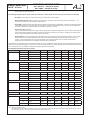
Cascade No
1
2
3
4
5
6
7
8
Offset
0x00
0x04
0x08
0x0C
0x80
0x84
0x88
0x8C
Table 4: Offset for the service ID‘s if several cascades are operated in a network
3.3.5 Transport stream bit rate (TS out bit rate), system bit rate
The transport stream bit rate at the ASI output port can be set in the range between 1,024 kbps and 214 Mbps with steps of 1 kbps.
The output bit rate can be selected independently of the input bit rate at the ASI input port. However, care must be taken to ensure that
the entire volume of data is transmitted, including the DVB channels generated additionally by the EMA device. It should be noted that
the transport stream at the ASI input may contain components with a fluctuating data rate. When estimating the bandwidth which will be
necessary for the transmission of newly generated programs, this should be borne in mind.
The bit rate (“TS-Out bit rate”) is selected in the configuration settings under “Channel Mux“.
For the EMA device, the maximum “TS Out Bit Rate“ possible is 214 Mbps. When deciding the “TS Out Bit Rate“ it is necessary
and important to check what is the maximum transport stream bit rate which can be processed or forwarded by succeeding
components such as modulators and upconverters.
The bandwidth (bit rate) which is available can be distributed across the channels generated by the EMA device in any proportions
de-sired. The more channels are transmitted, the lower is the available system bit rate (slot bandwidth) for each channel. Whenever
individual settings are made, care should be taken to ensure that the figures entered into the configuration mask make sense.
Configuration of the system bit rates and “TS-Out Bit Rate”, the output bit rate
When delivered and if reset is carried out with firmware, the system bit rates (slot bandwidth) of each channel will be set to 6 Mbps. This
setting should be seen simply as an upper limit and can be varied according to the content of the data being transmitted. It is possible to
adjust the figures for each channel according to need. The “TS-Out Bit Rate”, which is the data output rate, is preset to 38 Mbps, which
gives enough scope for reliable operation as long as the “ASI Main IN”, the input port, is deactivated. The output rate must be decided
in relation to the content being added, with a safety margin of at least 10 per cent, since it is not possible definitely to exclude swings in
the data rate taking it over the upper limit.
Examples of estimation of the “TS-Out Bit Rate”, the output bit rate
Example 1: Single device with 4 encoders
“ASI Main IN“ = “OFF“
The encoder input ports A ... D employ the following system bit rates: 3x 6 Mbps and 1x 10 Mbps, total 28 Mbps
This allocation, including the necessary 10% reserve for safety, gives a figure of 31 Mbps (minimum) to be set as the data output rate at
the output port.
Example 2: Single device with 4 encoders and an “ASI Main IN“
“ASI Main IN“ = “MUX with intern“
Here the incoming data stream has a bit rate of 50 Mbps, and 36 Mbps are used for the transport of the data. 14 Mbps are filled with
“empty packets”.
The encoder input ports A ... D employ the following system bit rates:2x 4 Mbps and 2x 8 Mbps, total 24 Mbps
36+24=60, plus 10% safety margin, so that the data output rate at the output port is 66 Mbps (minimum).
28
EMA x08/407
Part No: 917x.xx
ENCODER/ MULTIPLEXER
ASI / SDI/ A/V → ASI(TS) & IP(TS)
ASI / HDMI → ASI(TS) & IP(TS)
3.4 Extended configuration (individual settings)
The configurations explained so far suffice for the intended use of the EMA device to generate transport streams in conformity with DVB.
There are further options possible for professional use with special functions.
3.4.1 TTX processing/ VPS/ WSS
These configuration settings control how teletext information contained in the analogue signal will be adopted and the VPS and WSS
control signals will be captured, processed and forwarded in the transport stream.
The following settings and functions are possible:
Switches
State
Function
TTX processing
OFF
No teletext or VPS and WSS data adopted.
TTX processing
Video-IN
Teletext data from lines 7 to 15, 19 to 22, 320 to 328 and 332 to 335, will digitalised and
transmitted in the DVB transport stream.
TTX processing
Video-IN
VPS-WSS
VPS
WSS
VPS+WSS
Teletext data from lines 7 to 15, 19 to 22, 320 to 328 and 332 to 335, will digitalised and
transmitted in the DVB transport stream.
In addition, VPS, WSS or VPS+WSS (depending on what has been selected) will be
digitalised and then transmitted as part of the DVB transport stream.
Table 5: Configuration for processing of teletext, WSS and VPS
3.4.2 Options
Adaptations or options supplied to customer specifications may be charged for.
3.4.3 Firmware updates (emergency program)
If a firmware update becomes necessary, a Windows update program will be made available. The update will be carried out either
via the Ethernet interface or via the (RS232) control interface on the EMA device. For this purpose the computer and the EMA device
must be connected to each other by means of either an Ethernet cable or a null modem cable (cross-linked cables in each case).
After the program has been opened, the computer interface to be used must be selected in the update window. If the right interface is
selected, the “Upload” button will be activated, allowing the update to be started with this button.
Firmware updates do not change any parameters already set (whereas the opposite is true of using the recessed “Factory setting” key,
which restores settings to what they were on delivery of the device).
3.4.4 Re-set to status on delivery (Factory settings)
The following 3 possible ways of restoring the status on delivery:
A. Factory setting using the user software (HTML page):
This will only be possible if the IP configuration for the device is known, including network address subnet mask, and the device can be
contacted via the Ethernet interface. The Internet browser should be used as described in section 3.3.2 (“Connecting the network to
the computer”) to access the device operation system. When the access data have been entered, the configuration menu will appear.
The “Factory Setting” box is displayed in the menu header. If this box is clicked, all the parameters for the device which are capable of
configuration, excluding the IP address (!), will be reset to those for the state the device was delivered in, and the device will be restarted.
A reset of the IP address to the default value is proceed as described in section B.
B. Factory setting using the “Factory Set“ key (on rear of device):
In order to re-set all configurable parameters including the IP address for the device so that they are as delivered, this key must be
activated for at least 5 seconds, until all the LED‘s on the front flash at the same time. The flashing LED‘s are the confirmation that the
factory set function has been carried out. When the key is released, a new start will follow automatically in which the parameters are as
reset. After changing the IP address the connection to the device is invalid and thus interrupted. To restore the connection, the steps in
section 3.3.1 (“Network connection to the computer“) are processed.
C. Factory setting with the aid of the maintenance software (via RS 232):
The maintenance software is a Windows PC program module obtainable from BLANKOM Antennentechnik GmbH which will create the
factory settings. Firstly, the maintenance software has to be installed on the control PC and a cable connection must be established
between this and the EMA device. The cable must be a null-modem cable. When the program has been started and the various
procedu-res run, the EMA device is restarted with all parameters reset.
If B or C is used, the IP address of the EMA device after reset is: 192.168.2.86 with the subnet mask 255.255.255.0.
29
EMA x08/407
Part No: 917x.xx
ENCODER/ MULTIPLEXER
ASI / SDI/ A/V → ASI(TS) & IP(TS)
ASI / HDMI → ASI(TS) & IP(TS)
3.4.5 Integration into the head end management system for B-LINE or C-LINE
If a EMA device is being used in association with B- or C-LINE head end components, the possibility exists (using HCB x00 “BLUE“, from
9650.03 upwards) of integrating the encoder into the overview of the head end and calling it up from this screen. A hub will be necessary
in this case, through which the Ethernet connections of the HCB x00 and the EMA device are networked. Before this happens, the
“lowest” of the IP addresses of all the EMA encoders must be entered in the configuration menu for the IP address of the HCB x00.
It is only possible to enter (or change) IP addresses into the HCB x00 directly. This cannot be done from the html user interface.
Warning:
If multiple EMA devices are being integrated, it is important to note that the HCB x00 will search in the network for any IP address (N)
with the “lowest” value and will then search for nine more with ever “higher” addresses (N+1...N+9). In consequence, the maximum
number of EMA devices which can be included in the head end overview of an HCB x00 is ten. Switching on or re-setting the HCB x00
will cause any EMA device in the network to be read and shown in the overview along with the rest of the system.
By clicking “Edit”, a link is made to the IP address of the EMA device and the login window opens. Once the “serial number” and the
“password” have been entered, the EMA device can be configured as described in section 3.3.3.
Fig.30: User interface: HCB x00 head end overview
30
EMA x08/407
ENCODER/ MULTIPLEXER
Part No: 917x.xx
ASI / SDI/ A/V → ASI(TS) & IP(TS)
ASI / HDMI → ASI(TS) & IP(TS)
4. Appendix
4.1 Technical data
EMA 308
EMA 407
EMA 408
EMA 508
EMA 608
EMA 708
√
√
√
√
√
√
√
√
√
√
√
√
15 VA
20 VA
30 VA
35 VA
30 VA
35 VA
4,200 g
4,200 g
4,200 g
4,350 g
4,200 g
4,350 g
√
√
√
√
√
√
Casing/ dimensions for installation
19“ rack, 1 RU (steel sheet) HxWxD = 44 x 444
x 300 mm
Operating parameters
Operating voltage 85 ... 264 V~, 50/ 60 Hz or 110
... 370 VPower consumption
Weight
Temperature range -10 ... +55 °C,
Temperature range for data keeping 5 ... 45 °C
Encoder, video input signal
PAL (B/G, H, I, N), SECAM, NTSC (M)
√
√
SD-SDI 270 Mbps
√
√
√
√
√
HD-SDI 1,5 Gbps
√
√
√
√
Transport stream (DVB-ASI) with MPEG-2 HD/ SD
√
√
√
√
√
√
√
√
√
√
√
√
√
√
√
√
√
√
√
√
√
√
√
√
√
√
√
√
√
√
√
√
Transp. stream (DVB-ASI) with H.264/AVC HD/SD
√
√
Input format
720x576 50i
720x480 60i
√
1280x720 50p/ 59,94p/ 60p
1920x1080 50i/ 59,94i/ 60i
Compression
MPEG-2 (MP@ML) according ITU-T Rec. H.262/
ISO/ IEC 13818-2 [8]
√
√
H.264/ AVC ([email protected]/ [email protected]) according
ITU-T Rec. H.264 / ISO/ IEC 14496-10 [9]
System bit rate (slot bandwidth)
individually per channel (slot) adjustable
√
√
1 024 ... 15 000 kbps
√
√
1 024 ... 20 000 kbps
Encoder, audio (compression)
MPEG-1, Layer 2 (mp2)
√
√
Dolby Digital 2.0 (AC-3)
Dolby Digital plus
√
√
Sample frequency: 48 kHz, stereo
√
√
√
√
√
√
Bit rate: 64 ... 384 Kbps
√
√
√
√
√
√
√
√
√
√
√
√
√
√
√
√
√
√
√
√
√
√
√
√
Number of inputs
4
2
4
4
4
4
analogue: 1Vpp, digital: 800 mVpp,
audio embedded (AES/ EBU, 48 kHz) adjustment
range +/- 6 dB
√
√
√
√
√
√
Transport stream output/ input
Protocol:
ISO/ IEC 13818-1
DVB-ASI/ ATSC
burst or interleave mode 188/ 204
Connection:
BNC, 75 ohms, 800 mVpp
Bit rate:
1...214 Mbps in burst mode/ 1... 98 Mbps in
continuous mode, adjustable in 1Kbps steps
Video inputs
31
EMA x08/407
Part No: 917x.xx
ENCODER/ MULTIPLEXER
ASI / SDI/ A/V → ASI(TS) & IP(TS)
ASI / HDMI → ASI(TS) & IP(TS)
EMA 308
EMA 407
Transport stream (DVB-ASI) with MPEG-2 HD/SD
Transp.stream (DVB-ASI) with H.264/AVC HD/SD
√
EMA 408
EMA 508
EMA 608
EMA 708
√
√
√
√
√
√
√
√
HDMI 1)
Audio IN:
4x sockets according EN 50083-5 annex B
(without control functions) [5]
600 ohms/ 10 kohms switchable, symmetrical
(mono, stereo, dual)
adjustable in range: +6 dB ... -20 dB (0.5 dB
steps)
√
√
√
SPDIF at DIN socket PIN 6, 8 (PCM/ AC-3)
√
√
√
√
√
IP output (front side)
Ethernet 10/ 100/ 1000 Base-T, RJ 45
√
√
√
√
√
√
√
√
√
√
√
√
√
√
√
√
√
√
Ethernet 10/ 100 Base-T, RJ 45
√
√
√
√
√
√
Protocols: UDP, IP
√
√
√
√
√
√
Output data rate 20 Mbps
√
√
√
√
√
√
√
√
√
√
√
√
√
√
√
√
√
√
√
√
√
√
√
√
√
√
√
√
√
√
Teletext inserter: 200 pages
+
+
+
+
+
+
+ 1000 pages
+
+
+
+
+
+
Protocols: UDP, RTP, ARP; additional error
correction according pro-MPEG Code of practise
3 rev. 2 [7]; encapsulation according
ETSI TS 102034 [6]
Data rate 98 Mbps, continuous mode
Control port/ IP output (rear side)
Remote control
Settings, data:
Ethernet interface, UDP/ IP
Cascade system
Up to 8 devices can be combined into a cascaded
system to form a DVB transport stream
using the ASI interface.
Extra functions
Teletext, VPS, WSS:
Transparent feed of teletext signals, conversion
and onward transmission of VPS und WSS
signals.
SNMP
Options
1)
currently HDCP encryption is not supported
4.2 Accessories
4.2.1 Accessories as standard
1x device connection cable
1x 19“ installation set (4 bolts; 4 washers; 4 cage nuts)
2x replacement T fuses 2 A/ 250 V
1x null modem cable; 3 m; 9 poles (2 sub D sockets)
1x patch cable; cross-linked; 3 m; 8 poles (2 RJ45 plugs)
1x BNC connecting cable; 0.34 m
4x DIN plug connectors, 8 poles
1x guarantee certificate
1x operating manual (this document)
32
EMA x08/407
ENCODER/ MULTIPLEXER
Part No: 917x.xx
ASI / SDI/ A/V → ASI(TS) & IP(TS)
ASI / HDMI → ASI(TS) & IP(TS)
4.2.2 Optional accessories
The optional accessories can be ordered individually as required.
Purpose
Plug connection
Length
Type
Item no.
Video and ASI connector
cable
BNC-BNC
0.34 m
VVK 526
8025.26
1m
VVK 540
8025.40
2m
VVK 541
8025.41
3m
VVK 542
8025.42
... m19
VVK 543
8025.43
1m
VAK 537
8025.37
2m
VAK 538
8025.38
3m
VAK 539
8025.39
... m1)
VAK 560
8025.60
1m
ASK 545
8025.45
2m
ASK 546
8025.46
3m
ASK 547
8025.47
... m1)
ASK 548
8025.48
DIN-5p.-2x XLR-sockets
0.2 m
AAK 536
8025.36
DIN-5p.-2x Cinch
1m
AAK 564
8025.64
2m
AAK 535
8025.35
3m
AAK 566
8025.66
AAK 567
8025.67
Video adapter cable
Audio connector and
control cable
Audio adapter cable
BNC-Cinch
DIN-8p.-DIN-8p.
... m
1)
1)
Cable to connect
apparatus to mains
C13 (standard connector cable) 2 m
CEE7/7 (Schuko-type angle
plug)
NKW 200
0144
Audio plugs
(for cable diameter 6 mm)
DIN plug, 5 poles
SV 050
0143
DIN plug, 8 poles
SV 081
0141
... length as specified by customer
Further accessories are to be found in the BLANKOM Antennentechnik main catalogue.
4.3 Glossary and abbreviations
Term
Meaning
Notes
ASI
Asynchron Serial Interface
Interface for DVB transport stream BNC
connection, 75 ohms
Audio bit rate
Digital bandwidth for audio transmission, element
of the system bit rate
The higher the value the better the transmission
quality, but it may (slightly) limit the video bit rate.
Audio mode
Options for the audio channels to be transmitted.
The options are: stereo, joint stereo, mono, dual
channel, Use VPS.
The relevant option is entered (unchangeably) into
the EMA coding. It will be transmitted with the
additional DVB information.
Burst mode
ASI TS mode: either 188 or 204 data bytes are
sent as a bundle with no intervals between them,
then “sync words” follow.
Identical with the mode:
contiguous, packed, packed space,
timing,data packed, packed burst
Continuous mode
ASI TS mode: data bytes are continuously Identical with the mode: interleave, distributed,
transmitted alternately with sync words at equal spread out, byte-space, byteburst, byte timing,
intervals.
equality, data byte
DHCP
Dynamic Host Configuration Protocol:
enables networked devices to receive IP addresses
automatically
If there is no DHCP service available or DHCP is
switched off, the (default) IP address which has
been set will be used.
Input channel
Audio or video signal input
Analogue (video and audio separately), SDI (video
with audio embedded or separate)
IP address
Network address for access to data and Factory setting:
configuration (in case there is no DHCP service)
192.168.2.86
IP subnet mask
Mask for detailed identification of the address in
the network
33
Factory setting:
255.255.255.0
packed
EMA x08/407
Part No: 917x.xx
ENCODER/ MULTIPLEXER
ASI / SDI/ A/V → ASI(TS) & IP(TS)
ASI / HDMI → ASI(TS) & IP(TS)
Term
Meaning
Notes
Kbps
Bit rate
Kilo Bit per second (where Kilo=1024)
Load
Reads out the parameter settings of the EMA device The parameters can be viewed and altered. “Save”
and shows them in the settings masks.
saves the edited parameters.
Mbps
Bit rate
Mega Bit per second
MIB
Management Information Base
The device-specific file (ME.mib) to serve the
system via SNMP
Network ID
Network identification: this ID gives the unique
identification for the link between DVB transport
streams (TS‘s) and a particular (cable) network
Within the network this ID is the same for all TS‘s.
This is an element of the NIT and is usually
overwritten by the succeeding modulator
component.
NIT
Network Information Table
The EMA device is capable of setting up this table.
this is an important table for the transmission A succeeding modulator component can add to it
of channel parameters. The NIT supports, for or overwrite it.
example, the “seek” function in the DVB receivers
so that
a broadcaster is found.
Password
Access to configuration via the IP network is
password-protected.
Program Language
This shows the program language; the abbreviations The details will be displayed in the receiver for the
to be used are those in ISO 639-2 [4]
information of the watcher.
code, (i.e. “deu” for German)
Program Name
This is the name of the newly generated DVB The name of the program will be presented for
program. Every A/V channel should be given a selection in the table of broadcasters by the DVB
name.
receiver.
RDS
Radio Data System
Additional digital information concerning analogue
radio programs, e.g. name of broadcaster,
short details, special announcements.
Save
Saves the configuration values which have been
set for the EMA device
These parameters are read using “Load” and
stored using “Save”.
SDI
Serial Digital Interface for digital, uncompressed
video signals
270 Mbps, transmission via BNC cables, audio
data can be embedded
SDT
Service Description Table
This contains the programs offered and relevant
details of broadcaster.
Serial number
The 5-digit device serial number
This contains the programs offered and relevant
details of broadcaster
SNMP
Simple Network Management Protocol
An interface protocol allowing data exchange and
device control via the network.
System bit rate
The digital bandwidth available for an A/V channel.
The system bit rate for a channel is composed of
the video and audio shares combined.
TS
Transport stream (a data signal in packet form)
The whole of the information necessary to enable
transmission of digital signals. One transport
stream can contain more than one program, with
audio, video, teletext and details.
TS ID
Transport stream identifikation (unique designation When devices are linked up in series for a shared
of the transport stream)
transport stream, they must all use the same TS ID.
TS out bit rate
Output data bit rate of the transport stream =
digital bandwidth
This rate must be adequate to the quantity of data.
TTX processing
Teletext processing and onward transmission
Conversion of the teletext signal contained in the
analogue signal into digital transport packets
which are then transmitted in the DVB signal.
Video format
Video system
Standards applying to the analogue video input
signals which require conversion
Factory setting: PAL/ SECAM (50 Hz); alternatively,
NTSC (60 Hz) or OFF (Digital Radio) can be
selected
VPS/ WSS
VPS (video programming system):
this is the recording control for the video recorder
WSS (wide screen signalling):
format control for the TV itself
Both these signal components are contained in
the analogue TV signal.
WSS = ON and VPS = ON: here the signal
components are converted and transmitted in the
DVB
signal.
34
The password on delivery is set to: neu
EMA x08/407
ENCODER/ MULTIPLEXER
Part No: 917x.xx
ASI / SDI/ A/V → ASI(TS) & IP(TS)
ASI / HDMI → ASI(TS) & IP(TS)
5. Bibliography
[1] EN 60728-11:
Cable networks for television signals, sound signals and interactive services Part 11: Safety (IEC 60728-11:2005);
German version EN 60728-11:2005
[2] EN 50083-2:
Cabled distribution systems for television and sound signals. Electromagnetic compatibility for equipment;
EN 50083-2: 2001 + A1:2005
[3] EN 50083-5:
Cabled distribution systems for television and sound signals. Head end equipment, German version EN 0083-5:2001
[4]
ISO 639-2:
1998 − Codes for the representation of names of languages − Part 2: Alpha-3 code
[5] ISO13818-1:
2000 - Information technology - Generic coding of moving pictures and associated audio information: Systems
[6] ETSI-TS 102034:
Digital Video Broadcasting (DVB); Transport of MPEG-2 TS Based DVB Services over IP Based Networks, Ver. 1.4.1, 2009-08-04
[7] SMPTE 2022-1:
Forward Error Correction for Real-Time Video/ Audio Transport Over IP Networks, 2007
[8] ISO13818-2:
2000 - Information technology - Generic coding of moving pictures and associated audio information: Video
[9] ISO/IEC 14496-10:
2012 - Information technology - Coding of audio-visual objects - Part 10: Advanced Video Coding
6. Document history
Version
Date
Modification
Author
1.00
29.03.2011
basic document
Häußer
1.01
20.05.2011
revision accessories
Häußer
1.02
25.08.2011
additions chapter 4.1
Häußer
1.03
28.10.2011
correction SPDIF
Häußer
1.04
19.06.2012
insert the EMA 508...708 devices
Häußer
1.05
24.07.2013
revision, especially EMA 508, 708
Häußer
1.06
13.08.2014
revision, revised user interface included
Options available upon request. Subjects to changes due to technical progress.
Appelfelder
BLANKOM Antennentechnik GmbH
Hermann-Petersilge-Straße 1 • 07422 Bad Blankenburg • Germany • Phone +49 (0) 3 67 41 / 60-0 • Fax +49 (0) 3 67 41 / 60-100
35
Declaration of Conformity
Manufacturer: Product Name: Encoder/ Multiplexer
Type Name:
Type No:
BLANKOM Antennentechnik GmbH
Hermann – Petersilge – Straße 1
07422 Bad Blankenburg
Germany
EMA 308, EMA 407, EMA 408, EMA 508, EMA 608, EMA 708
9173.81, 9173.82, 9173.91, 9173.92, 9173.93, 9174.71, 9174.72,
9174.81, 9174.82, 9174.91, 9175.81, 9175.82, 9176.81, 9176.82,
9177.81, 9177.82
BLANKOM Antennentechnik GmbH confirms that the mentioned products meet the guideline(s) of the Council for the
approximation of legislation of the member states.
Electromagnetic compatibility (2004/ 108/ EC)
The following standards are met: DIN EN 50083-2: 2007-04 (EN 50083-2:2006-06)
Low voltage guideline (2006/ 95/ EC)
The following standards are met: DIN EN 60950-1: 2006-04 (EN 60950-1:2006-11)
Information technology equipment -SafetyRestriction of hazardous substances (2011/ 65/ EC)
The following standards are met: DIN EN 50581: 2013-02 (EN 50581:2012)
Bad Blankenburg, Germany, 2012-06-19
36
Dr. Piero Kirchner
(Managing Director)