1
Type 8025 - 8035 BATCH
Operating and functions
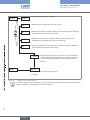
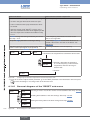
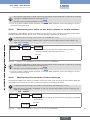
• The transistor output DO1 or DO4 or the relay output DO3 can be configured to switch when a warning
message is emitted by the device. See chap. 9.7.18.
• See also "If you encounter problems" in chap. “10.3”
→→If you do not want to adjust another parameter, confirm the "END" parameter to save the settings or not and
go back to the Process level.
9.8.5
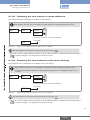
Monitoring the value of the daily volume or mass totalizer
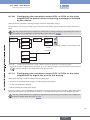
The parameter "VOLUME-W." makes it possible to monitor the value of the volume or mass daily totalizer. When
the daily totalizer has reached the set value, a warning message is generated by the device.
• To deactivate the monitoring of the totalizer, set "VOLUME-W." to zero.
• When the warning message "WARN. VOL." is sent out, reset the daily volume or mass totalizer: see
chap. “9.6” or “9.7.28”.
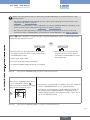
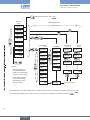
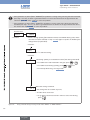
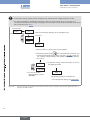
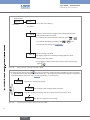
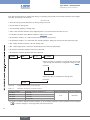
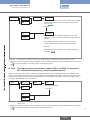
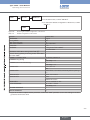
Warning
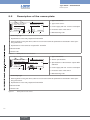
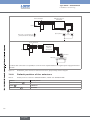
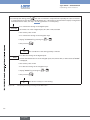
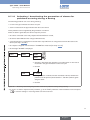
VOLUME-W.
= 0000000
→→Enter the volume or the mass of the daily totalizer for which a
warning message is generated by the device.
→→Confirm.
BATCH-W
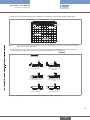
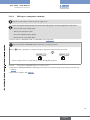
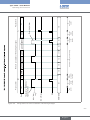
Figure 95:
Diagram of the "VOLUME-W." parameter of the sub-menu "WARNING"
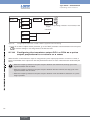
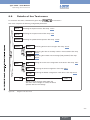
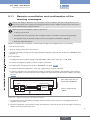
• The transistor output DO1 or DO4 or the relay output DO3 can be configured to switch when a warning
message is emitted by the device. See chap. 9.7.18.
• See also "If you encounter problems" in chap. “10.3”
→→If you do not want to adjust another parameter, confirm the "END" parameter to save the settings or not and
go back to the Process level.
9.8.6
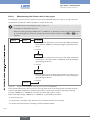
Monitoring the number of done dosings
The parameter "BATCH-W." makes it possible to monitor the value of the done dosings daily totalizer. When the
daily totalizer has reached the set value, a warning message is generated by the device.
• To deactivate the monitoring of the number of done dosings, set "BATCH-W." to zero.
• When the warning message "W. BATCH" is sent out, reset the daily totalizer of the done dosings: see
chap. “9.6” or “9.7.28”.
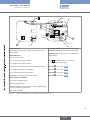
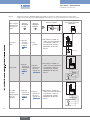
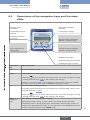
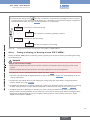
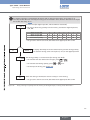
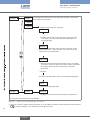
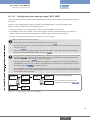
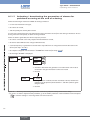
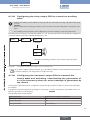
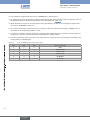
Warning
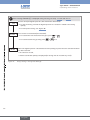
BATCH-W.
B= 000000
→→Enter the number of dosings for which a warning message is generated
by the device.
→→Confirm.
return
Figure 96:
Diagram of the "BATCH-W." parameter of the sub-menu "WARNING"
107
English