1
PRESSURE ZEROING THE MANOMETER
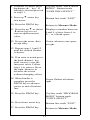
Prior to making a pressure measurement, the 350 Smart
Manometer should be zeroed for pressure. This will
eliminate any zero drift that has occurred since the
manometer was last used. To zero the manometer, starting
with the unit turned off, follow this key stroke sequence:
Keystroke
Display
1. Press ON/OFF button.
The display briefly shows the
header name and full scale
range of the unit in the last
engineering units selected.
The manometer then goes
into the Measure Mode
where the applied pressure
and engineering unit of
measure are displayed.
Display should read close to
zero. (See note below)
2. Turn off pressure
sources and vent
pressure ports to
atmosphere.
Top line of display reads
“ZERO IN PROGRESS”
while bottom line counts
down from 9. Zeroing is
complete when unit returns
to Measure Mode.
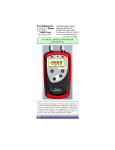
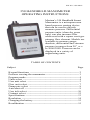
3. Press MIN/MAX and
HOLD keys at the same
time. (See figure 1)
Note: All Models and ranges
can be zeroed only if the new
Zero is within ± 5% of the
original factory calibration
zero. If outside this limit a
“ZERO ERROR” message
appears and the manometer
will not zero.
Figure 1.
3