1
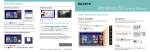
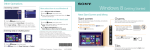
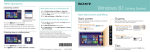
Using Apps Starting apps Using the Internet Viewing running apps Connecting to a Wireless LAN Opening websites Enter a URL or keyword in this box. 1 Tap the Search charm (see cover). 2Enter a keyword in the Search box, tap Apps, and then tap the app icon. Touch operation Swipe in from the left edge until a small app icon appears. Then, drag the icon back towards the left edge. 1 Tap the Settings charm (see cover). 2Tap the network icon. 3Select your wireless network from the list, then tap Connect. page) and tap the icon. With a mouse/touch pad You can also find the traditional style Internet Explorer on the desktop. Point to the upper-left corner, then move downward. Opening the apps menu 1 On the Start screen, tap the Internet Explorer tile. 2Enter a URL or keyword to search websites. 3To open a new tab, open the apps menu (see left Closing apps Installing apps from Windows Store You can add apps from Windows Store. 1 Connect to the Internet. 2Tap the Store icon on the Start screen, and then find an app to install. Touch operation 1 When an app is open, point to the top-center of the With a mouse/touch pad 2Drag the app to the bottom of the screen until the Swipe up from the bottom edge. Right-click within an app. Microsoft Account You will need a Microsoft account to use some of the apps or services, including Windows Store. On how to create and what you can do with a Microsoft account, refer to Windows Help and Support (see back page). screen. app disappears from the screen. More on back page