1
INTRODUCTION
The optional Network Scanner Expansion Kit (AR-NS2) enables the machine to be used as a network scanner. Page
2 of the manual that accompanies the Network Scanner Expansion Kit (AR-NS2) contains an overview of the network
scanner functions, general considerations, and an explanation of image sending methods. Please read the manual
that accompanies the AR-NS2 before you read this manual. Both manuals explain only the network scanner functions
of the product. For information on loading paper, replacing toner cartridges, clearing paper misfeeds, handling peripheral
units, and other printer-related information, please refer to your "Operation manual (for printer operation and general
information)".
Additional manuals have been provided for copy and facsimile features. Please refer to these as necessary.
To enable the network scanner function of this machine, a product key (password) must be entered using a key
operator program. This is only required once. Use the "Product Key Entry for Network Scanner Expansion Kit" program
to enter the product key. If you do not know your product key, please ask your dealer. (For information on using key
operator programs, refer to KEY OPERATOR'S GUIDE.)
NOTES
• Before using the network scanner feature, several settings must be established from the Web page. These settings are
explained from page 2 on. The settings must be established by the network administrator. Such settings must be effected by
the system administrator who has the special network related backgrounds.
• This manual assumes that several options have been installed.
TABLE OF CONTENTS
Page
INTRODUCTION ...................................................... 1
SETTINGS AND PROGRAMMING REQUIRED
FOR THE NETWORK SCANNER FEATURE ........... 2
●ABOUT THE WEB PAGE .................................... 2
●SETTING PASSWORDS .................................... 2
●BASIC SETTINGS FOR NETWORK SCANNING ..... 3
●SETTING UP DESTINATION INFORMATION .... 4
●STORING SENDER INFORMATION .................. 5
●STORING A CUSTOM DIRECTORY .................. 5
CONDITION SETTING SCREEN
OF SCANNER MODE .............................................. 6
SENDING AN IMAGE ............................................... 8
●BASIC TRANSMISSION METHOD .................... 8
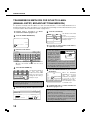
●TRANSMISSION METHODS
FOR SCAN TO E-MAIL (MANUAL
ENTRY, BROADCAST TRANSMISSION) ......... 10
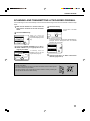
●SCANNING AND TRANSMITTING
A TWO-SIDED ORIGINAL ................................ 11
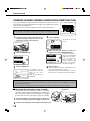
●STAMPING SCANNED ORIGINALS
(VERIFICATION STAMP FUNCTION) .............. 12
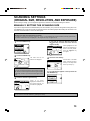
SCANNING SETTINGS
(ORIGINAL SIZE, RESOLUTION, AND EXPOSURE) .... 13
●MANUALLY SETTING THE SCANNING SIZE .... 13
●SELECTING THE RESOLUTION ..................... 14
●SELECTING THE EXPOSURE ........................ 15
Page
PRIORITY TRANSMISSION OF A STORED JOB ..... 16
CANCELING AN E-MAIL/FTP TRANSMISSION .... 16
STORING, EDITING, AND CLEARING
FROM THE TOUCH PANEL ................................... 17
●STORING ONE-TOUCH KEYS
(only addresses for Scan to E-mail
and Internet-Fax) .............................................. 17
●EDITING AND DELETING ONE-TOUCH KEYS ..... 19
●PROGRAMMING A GROUP KEY .................... 20
●EDITING AND DELETING GROUP KEYS ....... 21
●STORING SENDER INFORMATION ................ 22
●EDITING AND DELETING
SENDER INFORMATION ................................. 22
●STORING A GROUP INDEX ............................ 23
●PRINTING PROGRAMMED INFORMATION ... 23
TROUBLESHOOTING ............................................ 24
●IF YOUR E-MAIL IS RETURNED ..................... 24
●IF A TRANSMISSION ERROR OCCURS ........ 24
KEY OPERATOR PROGRAMS .............................. 25
●KEY OPERATOR PROGRAM LIST .................. 25
●USING THE KEY OPERATOR PROGRAMS .... 25
●SETTING PROGRAMS .................................... 26
●PRINTING OUT SETTINGS ............................. 27
SPECIFICATIONS .................................................. 28
1
01-07_us.p65
1
4/27/01, 9:49 AM