1
mx2301_ex_qck.book
93 ページ
2009年8月7日 金曜日 午後4時6分
APPENDING INFORMATION WHEN
STORING A FILE (File)
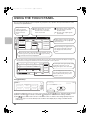
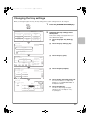
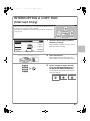
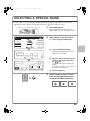
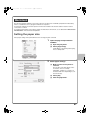
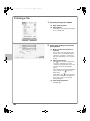
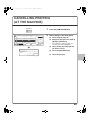
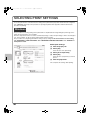
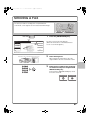
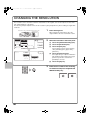
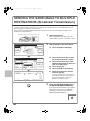
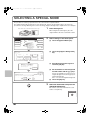
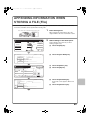
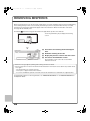
As an example, the procedure for using "File" while copying is explained below. Unlike Quick File, a file name,
user name, and folder can be specified when saving a file.
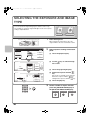
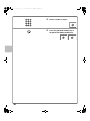
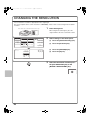
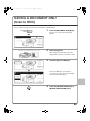
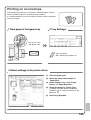
1
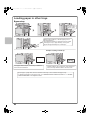
The side to be scanned must be face up!
Place the originals.
When using the document glass, place the
original with the side to be scanned face down.
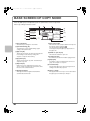
Ready to scan for copy.
0
Full Colour
Colour Mode
Output
Job Detail
Settings
Plain
A4
Auto
Exposure
A4
A4R
B4
A3
1.
2.
3.
100%
Copy Ratio
4.
Confidential
User Name
(2)
Stored to:
Main Folder
Select user name.
Name 2
Name 6
Name 7
Name 8
(1)
EFGHI JKLMN OPQRST UVWXYZ etc.
Cancel
File Information
Confidential
(5)
(6)
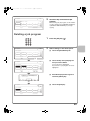
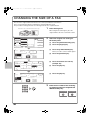
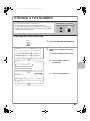
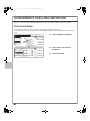
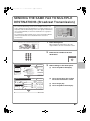
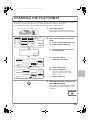
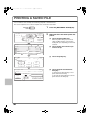
(1) Touch the [File] key.
File
(2) Touch the [User Name] key.
OK
Password
User Name
Name 1
File Name
file-01
Stored to:
Main Folder
(3) Touch the [Name 1] key.
OK
(4) Touch the [OK] key.
(4)
1
25
Name 4
ABCD
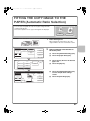
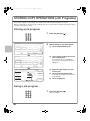
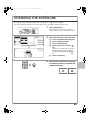
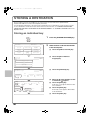
Select settings in the same way as when
making a regular copy.
Quick File
Cancel
Name 5
All
Select settings in the touch panel.
User Unknown
Copy_01082005_134050
(3)
2
Password
File Name
Name 1
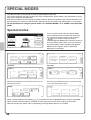
Special Modes
Cancel
File Information
Name 3
2-Sided Copy
Original A4
User
ABC
OK
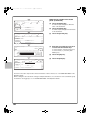
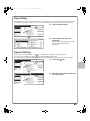
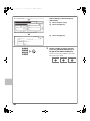
(5) Touch the [File Name] key.
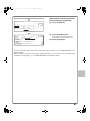
A text entry screen appears. Enter a file
name.
(6) Touch the [Stored to:] key.
93