1
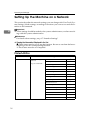
Setting Up the Machine on a Network
Limitation
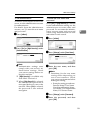
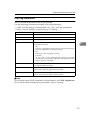
❒ Enter [User Name] using up to 63
alphanumeric characters. Spaces cannot be used.
❒ Enter [Password] using up to 63
alphanumeric characters. Spaces cannot be used.
Note
❒ Default: Off
❒ Using the number keys, you can
set [VWait Time after Auth.] from
zero to 10,000 milliseconds, in
increments of one millisecond.
❒ If you select [On], enter [Server
Name] in [POP3 Setting]. Also,
check the port num ber for
[POP3] in [E-mail Communication
Port].
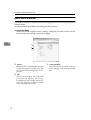
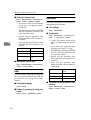
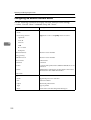
❖ Reception Protocol
Specify Reception Protocol for receiving Internet faxes.
• Off
• POP3
• SMTP
Note
❒ Default: Off
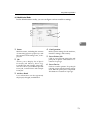
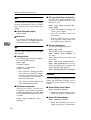
❖ POP3 Setting
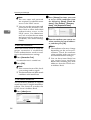
Specify the POP3 [Server Name] for
receiving Internet faxes.
The specified POP3 server name is
used for [POP before SMTP].
If DNS is in use, enter the host
name.
If DNS is not in use, enter the POP3
or server IP address.
• Server Name
• VEncryption
• Auto
• On
• Off
Limitation
❒ Enter POP3 [Server Name] using
up to 127 alphanumeric characters. Spaces cannot be used.
Note
❒ VEncryption-[Auto]: Password
encryption is automatically set
according to the POP server settings.
2
❒ VEncryption-[On]: Encrypt password.
❒ VEncryption-[Off]: Do not encrypt
password.
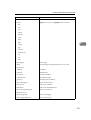
❖ Administrator's E-mail Address
On e-mailed scanned documents,
if the sender is not specified this
appears as the sender’s address.
This can be used as the sender with
SMTP authentication for Internet
Fax. If [On] is selected for [SMTP Authentication] be sure to enter the administrator's e-mail address here.
This can be used as the destination
for data transmission result cc emails, as well as the destination for
data communication management
e-mail.
Limitation
❒ Enter up to 128 alphanumeric
characters.
❖ E-mail Communication Port
Specify the [POP3] port numbers
for receiving Internet faxes.
The specified POP3 port number is
used for [POP before SMTP].
• POP3: 110
Note
❒ Default: POP3/110
❒ Enter a port number between 1
and 65535 using the number
keys, and then press the [#]
key.
45





























![DHaga clic en [Siguiente =]. - Firmware Center](http://vs1.manualzilla.com/store/data/006219344_1-304051f971daee15dd0cbfb99af5f096-150x150.png)
![CSélectionnez une langue, puis cliquez sur [OK].](http://vs1.manualzilla.com/store/data/006317938_1-593541ea6460ab0ad2c00e00abd849cd-150x150.png)