1
6. Appendix
When Using Windows Terminal
Service/MetaFrame
The following explains how to use
Windows Termina l Service and
Maintenance.
Operating Environment
The following operating systems and
MetaFrame versions are supported.
❖ Windows NT Server 4.0 Terminal
Server Edition
• MetaFrame 1.8 SP3/FR1 SP3/SP4
• MetaFrame XP 1.0 SP1/SP2/FR1
❖ Windows 2000 Server/Advanced Server
• MetaFrame 1.8 SP3/FR1 SP3/SP4
• MetaFrame XP 1.0 SP1/SP2/FR1/
FR2
Supported Printer Drivers
❖ When Windows Terminal Service is
operating
• PCL drivers
• PostScript 3
Note
❒ The RPCS printer driver is not supported.
❒ Some RPCS printer driver functions do not work if Windows Terminal Service is installed.
Limitations
The following limitations apply to the
Windows Terminal Service environment.
These limitations are built in Windows Terminal Service or MetaFrame.
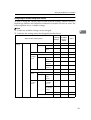
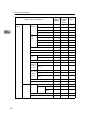
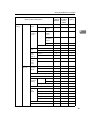
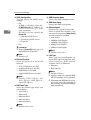
❖ Windows Terminal Service
In the Windows Terminal Service
environment, some of the printer
driver’s functions is unavailable.
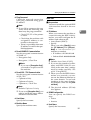
In an environment where Windows Terminal Service is installed,
some of the printer driver’s functions is unavailable, even if any
function of Windows Terminal
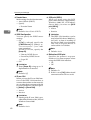
Service is not used. When you install SmartDeviceMonitor for Client in an environment where the
Terminal Service is running on a
Windows NT Server 4.0 Terminal
Server Edition or the Windows
2000 Server family computer, be
sure to install it using the install
mode. The following are the two
methods of installation using the
install mode:
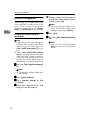
A Use [Add/Remove Programs] in
[Control Panel] to install SmartDeviceMonitor for Client.
B Enter the following command
in the MS-DOS command
prompt:
To quit the install mode, enter the
following command in the MSDOS command prompt.
137































![DHaga clic en [Siguiente =]. - Firmware Center](http://vs1.manualzilla.com/store/data/006219344_1-304051f971daee15dd0cbfb99af5f096-150x150.png)
![CSélectionnez une langue, puis cliquez sur [OK].](http://vs1.manualzilla.com/store/data/006317938_1-593541ea6460ab0ad2c00e00abd849cd-150x150.png)