1
Administrator Guide - SoundPoint® IP / SoundStation® IP
Local
Features
Web Server
(if enabled)
None.
Local Phone User
Interface
None.
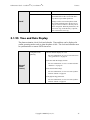
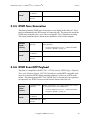
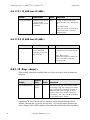
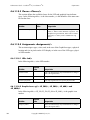
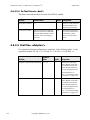
3.1.14 Do-Not-Disturb
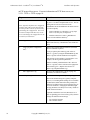
A do-not-disturb feature is available to temporarily stop all incoming call alerting.
Calls can optionally be treated as though the phone is busy while Do-Not-Disturb
(DND) is enabled. Incoming calls received while DND is enabled are logged as
missed.
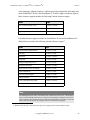
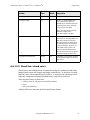
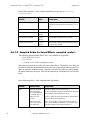
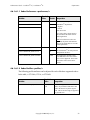
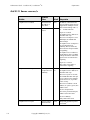
Configuration file:
ipmid.cfg
Central
(boot
server)
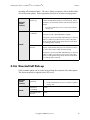
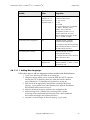
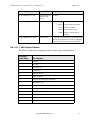
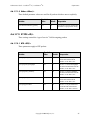
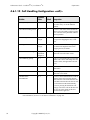
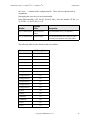
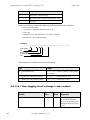
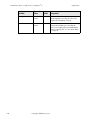
Specify whether or not DND results in incoming calls
being given busy treatment.
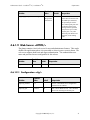
•
Configuration file:
phone1.cfg
Specify whether DND is treated as a per-registration feature or a global feature on the phone.
•
Local
For more information, see 4.6.1.10 Call Handling
Configuration <call/> on page 92.
For more information, see 4.6.3.2.1 Do Not Disturb
<donotdisturb/> on page 123.
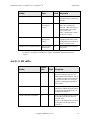
Web Server
(if enabled)
None.
Local Phone User
Interface
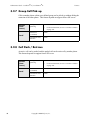
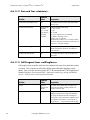
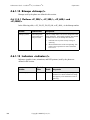
Enable or disable DND using the “Do Not Disturb” key
on the IP 300, 500 and 600 or the Features menu on the
IP 4000.
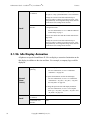
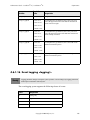
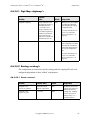
3.1.15 Handset, Headset, and Speakerphone
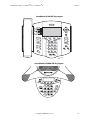
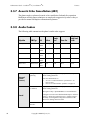
SoundPoint® IP phones come standard with a handset and a dedicated connector is
provided for a headset (not supplied). The IP 500 and IP 600 phones have full-duplex
speakerphones. The IP 300 has a listen-only speakerphone. The SoundPoint® phones
provide dedicated keys for convenient selection of either the speakerphone or headset.
The SoundStation® IP 4000 phones are full-duplex speakerphones.
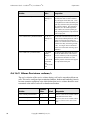
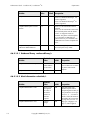
Central
(boot
server)
26
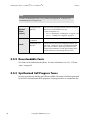
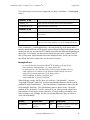
Configuration file:
ipmid.cfg
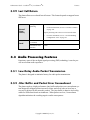
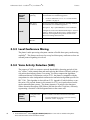
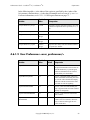
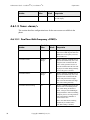
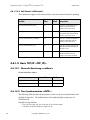
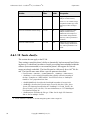
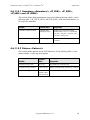
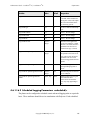
Enable or disable persistent headset mode.
•
For more information, see 4.6.1.2 User Preferences
<user_preferences/> on page 69.
Copyright © 2004 Polycom, Inc.