1
Formatting SD memory card
Note : All data in SD memory card will be erased by FORMAT process.
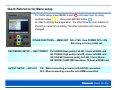
1) Press MENU button
, and select “CARD FUNCTION”
by using UP/DOWN button
.
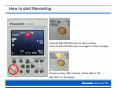
2) Press ENTER button
, select “CARD FORMAT”
and press ENTER button
again.
3) Select “YES” by using UP button
and press ENTER button
4) In “SD CARD FORMAT ?” window, select “YES”
by using UP button
and press ENTER button
.
5) After you see “SD CARD FORMAT COMPLETED” on the screen,
press MENU button
to return.
1)
2)
5)
2)
3)
4)
.