1
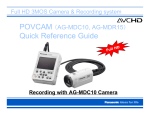
Quick Reference for Menu setup
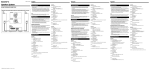
For menu setup, press MENU button
and select item by using
up/down button
, then press ENTER button
.
In order to simplify the preparation, the only following menu selections
should be cared for recording. The other selections don’t have to be
changed.
OTHER FUNCTIONS --- MENU INIT NO-->YES, then POWER OFF-->ON
Returning to factory initial set
RECORDING SETUP --- REC FORMAT
AV OUT SETUP --- SDI OUT
PH 1080/60i Best quality Full-HD, 3-hour w/32GB card
HA 1080/60i High quality Full-HD, 4-hour w/32GB card
HG 1080/60i Standard quality Full-HD, 5-hour 20-min
HE 1080/60i 1440X1080 resolution, 12-hour w/32GB card
ON When connecting a monitor with HD-SDI connection
OFF When connecting a monitor with HDMI connection