1
CHAPTER 2
Your 4GB Hard Drive
User Guide
For everything you need to
know about your device—all
that’s in this guide, and much
more—go to
www.palmOne.com/
lifedrive-userguide.
Beyond the basics
Click the link to the left to go to the User Guide on the web and learn about these related topics:
0
Moving and
Managing
• Creating, copying, pasting, deleting, and renaming files in LifeDrive
Manager
• Setting synchronization options for files and folders you move using
LifeDrive Manager
Tips & Tricks
Make your device uniquely
yours. For great tips,
software, accessories, and
more, visit
www.palmOne.com/
mylifedrive.
• Changing folder attributes in LifeDrive Manager
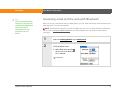
• Synchronizing your device with Microsoft Outlook on your computer
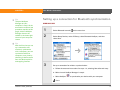
• Synchronizing wirelessly using Bluetooth technology or Wi-Fi
capabilities on your device
• Choosing whether to synchronize information for a specific application
Support
If you’re having problems
with moving information or
with anything else on your
device, go to
www.palmOne.com/
support.
LifeDrive from palmOne
• Sorting and customizing the Files display
• Accessing recent files or folders from within Files
• Using commands to delete, beam, send, and copy from within Files
• Saving files using Files
56