1
INTRODUCTION
Thank you for purchasing a Olivetti digital multifunction copier.
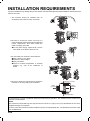
Please read this manual before using the machine. In particular, be sure to read "INSTALLATION REQUIREMENTS"
before using the machine.
Please keep this manual close at hand for reference whenever necessary.
This manual provides general information on using the machine, such as routine maintenance and how to load paper
and remove misfeeds. It also explains how to use the copier and document filing functions.
Separate manuals have been provided for the fax function, printer function, and network scanner function.
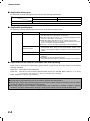
Original and paper sizes
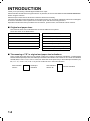
This machine allows use of standard sizes in both the AB and inch systems.
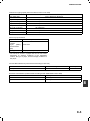
These are shown in the tables below.
Sizes in the AB system
Sizes in the inch system
A3
11" x 17" (LEDGER)
B4
8-1/2" x 14" (LEGAL)
A4
8-1/2" x 13" (FOOLSCAP)
B5
8-1/2" x 11" (LETTER)
A5
7-1/4" x 10-1/2" (EXECUTIVE)
5-1/2" x 8-1/2" (INVOICE)
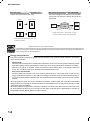
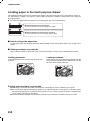
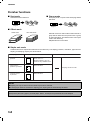
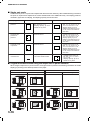
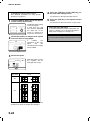
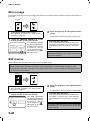
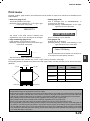
The meaning of "R" in original and paper size indications
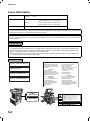
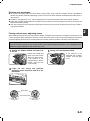
Some original and paper sizes can be placed in either the portrait or landscape orientations. To differentiate
between landscape and portrait, the landscape orientation size indication will contain an "R". These are indicated
as A4R, B5R, 8-1/2" x 11"R, 5-1/2" x 8-1/2"R, etc. Sizes that can be placed only in the landscape orientation (A3,
B4, 11" x 17", 8-1/2" x 14", 8-1/2" x 13") do not contain the "R" in their size indication.
Size indication
with "R"
1-2
Landscape
orientation
Size indication
without "R"
Portrait orientation



























![2 Appuyez sur la touche [OK]](http://vs1.manualzilla.com/store/data/006366731_1-c689529ed678904fcc2906f61f952784-150x150.png)