1
Step 1.2 Connecting to the ADSL Line
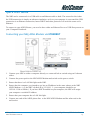
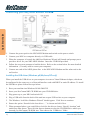
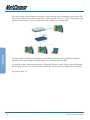
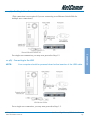
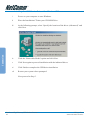
Connect your ADSL Router to the ADSL line with the telephone cable. If you are connecting a telephone or facsimile to the same line, refer to the section on Microfilters for more
information.
Step 1.3 Connecting to the Power Outlet
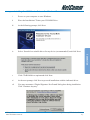
Connect your ADSL Router to the Power Outlet via the Power adapter (that comes with
your ADSL Router package).
Step 1.4 Powering On
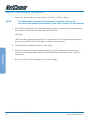
Power on the Power Outlet that is connected to your ADSL Router.
Power on your Computer(s)/Notebook(s).
Connection
Please proceed to Step 2.
NetComm NB5 Ethernet/USB Modem Router
20
YML717 Rev1
www.netcomm.com.au