1
Step 2: Configuring Your Ethernet Network Card / Installing Your USB
Device
✎
2.1
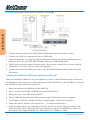
If your computer/notebook is connected to the Ethernet Port of the ADSL
Router, proceed with section 2.1. If your computer/notebook is connected
to the USB Port of the ADSL Router, proceed with section 2.2. If your
computers/notebooks are connected to both the Ethernet Port and USB
Port of your ADSL Router, please proceed with both sections 2.1 and 2.2!
Configuring Your Ethernet Network Card
Note
Proceed with this section ONLY if your computer/notebook is connected to
the Ethernet Port of your ADSL Router.
The following illustrated screen shots a provided as examples only. Please
follow the instructions prompted on your Computer.
For Windows® 98 Second Edition / Windows® Me
i
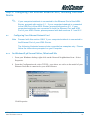
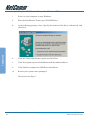
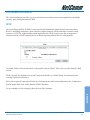
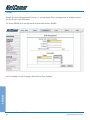
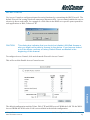
From your Windows desktop, right-click on the Network Neighborhood icon. Select
Properties.
ii
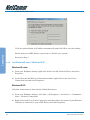
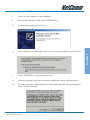
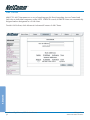
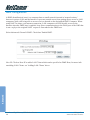
From the Configuration tab, select TCP/IP-> xxx where xxx refers to the model of your
Ethernet Card that is connected to your ADSL Router.
Click Properties.
YML717 Rev1
www.netcomm.com.au
NetComm NB5 Ethernet/USB Modem Router
21
Connection
2.1.1