1
Chapter 1
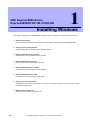
5. Setting Up Windows Server 2008 R2
Installing Windows
5.
Setting Up Windows Server 2008 R2
Set up Windows Server 2008 R2.
5.1
Before Starting Setup
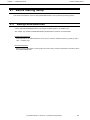
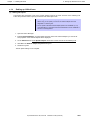
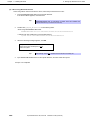
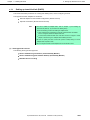
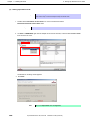
Read through the cautions explained here before starting setup.
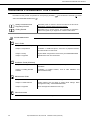
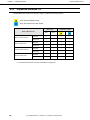
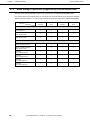
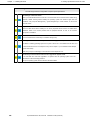
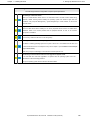
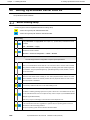
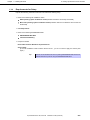
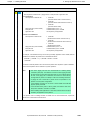
: Confirm during Setup with EXPRESSBUILDER
: Confirm during Setup with Windows standard installer
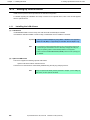
BIOS setting
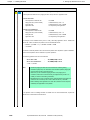
Change Boot Mode to Legacy Mode. See Chapter 2 (1. System BIOS) in Maintenance Guide
for details.
Boot → Boot Mode → Legacy
Select Disabled for x2APIC feature of processor. See Chapter 2 (1. System BIOS) in
Maintenance Guide for details.
Advanced → Processor Configuration → x2APIC→ Disabled
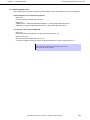
Hardware configuration
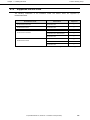
The following hardware configurations require special procedures.
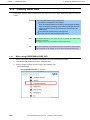
Reinstalling to a mirrored volume
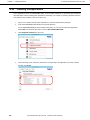
When you install Windows Server 2008 R2 in an environment with a mirrored volume created
using Windows, disable mirroring before installing the operating system and enable it again after
the installation. Use [Computer Management] – [Disk Management] to create, disable, or remove
the mirrored volume.
Peripheral devices such as RDX/MO
Remove an MO device before installing an OS. Some peripheral devices need to be halted
before installation. Refer to the manual provided with the peripheral devices for how to set a
device appropriate to installation.
DAT, LTO, or similar media
Do not set any media such as DAT or LTO while installing an OS.
Installing in internal or external multiple logical drives
For details on installing operating systems to a system in which two or more RAID Controller exist,
or to an external disk drive* that is not subject to setup, refer to Chapter 1 (5.9 Installation When
Multiple Logical Drives Exist).
* Disk array unit (such as iStorage) or hard disk drive in Disk Expansion Unit.
Reinstalling to hard disk drives that have been upgraded to dynamic disks
If the hard disk drive has been upgraded to a dynamic disk, the operating system cannot be
reinstalled to it with the existing partitions.
Set up the operating system with the Windows standard installer.
160
Express5800/R120f-1M, R120f-2M
Installation Guide (Windows)