1
First Steps
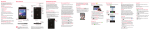
REMOVING THE Back COVER & BATTERY
Turn the power off and use the fingertip cutout
at the bottom of the phone to remove the back
cover (as shown below). Then use the fingertip
cutout at the bottom left corner of the battery
compartment to lift the battery out.
Inserting a microSD card*
Turn the power off and remove the back cover
(as demonstrated in the previous instructions).
Locate the microSD card slot. Position the
microSD card with the label side facing up and
slide it into place until it is fully inserted and
locked in place.
* The microSD card is pre-installed on
the device.
BASICS
NOTE: The microSD card can be easily damaged by improper
operation. Please be careful when
inserting, removing or handling it.
5