1
Making Phone Calls
Place calls quickly and easily. With clear audio and
an easy-to-use interface, this phone gives you the
flexibility and reliability you need.
Dial a Phone Number
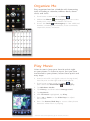
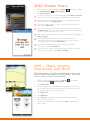
1. From home screen mode, tap Phone
.
2. As you begin typing a phone number on the virtual
keypad, the SmartDialer feature will automatically
display matching entries in your address book. When
you see the contact you want to call, tap his/her
name and then select Call mobile/work/home.
Use the Address Book
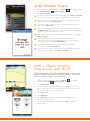
1. From home screen mode, tap Contacts
.
2. Tap the name of the contact you want to call, and then
select Call mobile/work/home.
MEdia™ Net
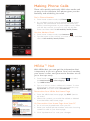
With MEdia Net, you can get the information that
is important to you at a glance. Your local weather,
your teams’ scores, and your movie theaters are all
just a few taps away.
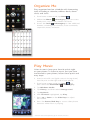
1. From home screen mode, tap Menu
the Multimedia
subcategory.
and select
2. Tap MEdia Net.
3. Tap on a link to access additional content. To view
the browser’s unique carousel for bookmarks, tap
Operation and then select Bookmark.
Personalize Your MEdia Net Home Page
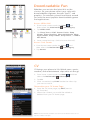
1. From the MEdia Net home page, tap EDIT (next to
My Links).
2. Select the content you would like added or deleted
from the MEdia Net home page.
Or, Personalize Your Home Page from Your PC
1. Go to att.com/mymedianet from your PC.
2. Enter your mobile phone number and start choosing
content to add to your home page.
3. Click “Update Now” to save your changes.