1
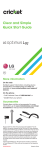
Getting to know your LG TRUE ™
Earpiece
Navigation Key
Up: Messages
Down: Contacts
Left: Email
Right: Calendar
OK key
Left select key
Camera key
Right select key
Clear/back key
Text to speech key
Power/end key
Volume keys
Message key
Send key
Charging/data port
Microphone
Email
1.From the home screen, press the Left select
key > Email
.
2.Enter your email address and password and
then press the Right select key to log in.
3.To compose an email, press the Left select
key > Write Email.
4.Enter an address or press the OK key
access your contact list.
to
5.Press down on the Navigation key to move
to the subject field and enter a subject.
6.Press down on the Navigation key and
enter your message. To attach a file, press
the Left select key > Attach and then select
a file type.
7.Press the OK key
to send your email.
Note: Your email account must already be set up in
order to log in. Should you encounter issues during set
up, please contact your Internet Service Provider.