1
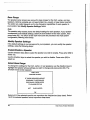
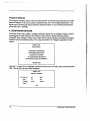
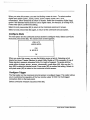
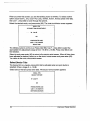
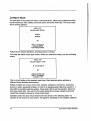
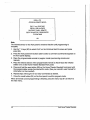
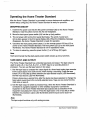
After selectingthe appropriateoptionfor yourspeakers,pressenter(83), highlight oK,
andpressenter (83).again. Youreturn to the speakersystemsetup menu.Theonscreenphrasefor the selectedspeakernowreadsLIMITED
or
FULL-RANGE.
-2. LISTENING ROOMSETUP
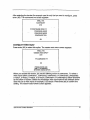
Thesecondmainmenuscreen,the listening roomsetup, allows you to tell the Home
TheaterStandardthe exact location of eachspeakerin your system,so that the Home
TheaterStandard
cancalculatethe pr.operarrival anddelaysettings.
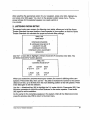
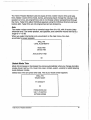
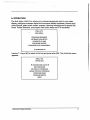
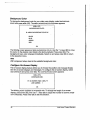
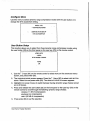
KNELL HTS
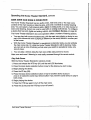
-MAIN MENUGONFIGURESPEAKERS
¯ LISTENING ROOMSETUP ~
CALIBRATE VOLUME
CONFIGUREDEVICES
CONFIGURELEVEL ADJUSTMENT
OPERATION
Usethe 1" $ keys(80) to highlight LISTENING
ROOM
SETUP
andpressenter (83).
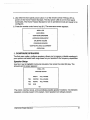
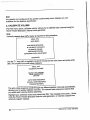
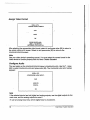
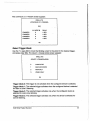
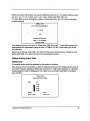
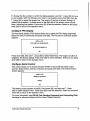
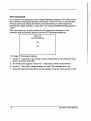
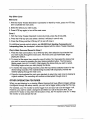
LISTENING ROOMSETUP screenappears:
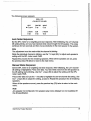
KNELL HTS
-LISTENING ROOMSETUPLEFT
~0FT~
CENTER
RIGHT
OFT
OFT
L REAR SUB
R REAR
OFT
OFT
OFT
When
youaccessthe LISTENING
ROOM
SETUP
screen,the cursor is blinking at the LEFT
speaker.Pressenter (83), then usethe 1" key (80) to increasethe number
to the correct
distance(in feet, up to 30 feet) fromthe mainlistening positionto the left speaker.Press
enter(83) againto set the selection.
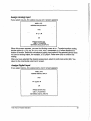
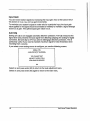
Usethe ~ directional key (80) to highlight the 0 FTunderCENTER.
Pressenter (83).
the sameprocedure
to input the correct distancefor the centerspeaker.Pressenter
(83) againto set the selection.
Dothe samefor the remainingspeakers
in the system.After all the distancesare set,
pressthe previouskey (78) to return to the mainmenu.
Krell HomeTheater Standard
27