1
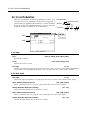
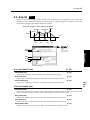
2:1 OSC 1 (01: Standard)
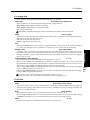
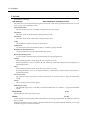
Type (Wave Shape Table Type)
[Clip/Reso]
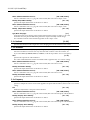
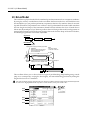
Use the radio buttons to select the wave shaping table which will modify the input waveform.
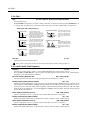
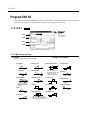
Clip (clip type) and Reso (resonant type) tables will modify the waveform as shown by the diagrams in Shape,
below.
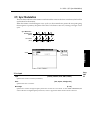
Offset (Wave Shape Offset)
[–99…+99]
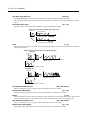
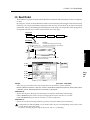
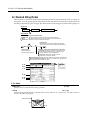
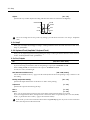
Specifies an offset amount that will be added to the signal specified by “Input.”
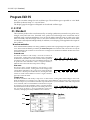
Example of when Offset is modified (Table Type: Clip)
Output level
Output waveform
Input level
Offset=50
Offset=0
Offset=-50
Input waveform (Input Level fixed)
Shape
[0…99]
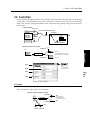
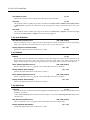
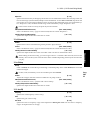
Specifies the characteristics of the table which will modify the input waveform. The characteristics of the table
will change as follows.
Shape of the wave shaping table and the Shape parameter
CLIP type
Output level
Shape:0
Input
Shape:99 level
Waveform
level
Output of the clip type table when a sawtooth
waveform is input
Waveform before being input to the table
Resonant type
Output level
Shape:0
Waveform
level
Input
Shape:99 level
Output of the resonance type table when
a sawtooth wave is input
Waveform before being input to the table
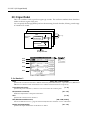
AMS (Alternate Modulation Source)
[OFF…MIDI (CC#83)]
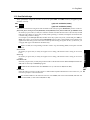
Selects a modulation source (☞page 64 of this manual) that will control “Shape.”
Intensity (Shape AMS Intensity)
[–99…+99]
Specifies the depth and direction of the waveform modulation controlled by the “AMS.”
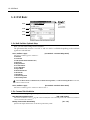
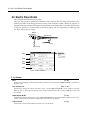
Balance
[0…99]
Specifies the balance between the signal that has passed through the wave shaping table and the output signal
from the standard oscillator. With a setting of 99, it will be only the output of the wave shaping table.
AMS (Alternate Modulation Source)
[OFF…MIDI (CC#83)]
Selects a modulation source (☞page 64 of this manual) that will control “Balance.”
Intensity (Balance AMS Intensity)
[–99…+99]
Specifies the depth and direction of the waveform modulation controlled by the “AMS.”