1
1-1: Prog Basic
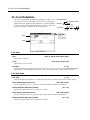
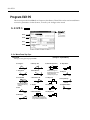
1–1f: Panel Switch Assign
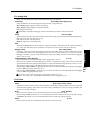
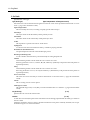
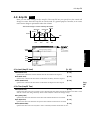
These parameters assign the function of the front panel SW1 and SW2 switches (assignable panel
switches 1 and 2).
SW1
AMSource
[JS(X) Lock…Modulation (CC#80)]
SW2
AMSource
[JS(X) Lock…Modulation (CC#81)]
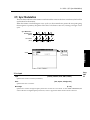
The functions which can be assigned to SW1 and SW2 are the same (except for Modulation), and are as follows:
JS(X) Lock, JS(+Y) Lock, JS(–Y) Lock, Ribbon(X) Lock, Ribbon(Z) Lock, After Touch Lock, JS & Ribbon Lock
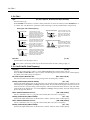
Each time you press SW1 (or SW2), the selected controller will alternate between Lock/Unlock (a lit LED
indicates Lock). When you press SW1 (or SW2) while operating a controller, subsequent movement of that
controller will produce no change.
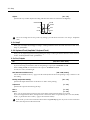
For example if you select JS(+Y) Lock, and then move the joystick away from yourself and press SW1 (or
SW2), the joystick (+Y) movement will be locked (held) at that position, and modulation will continue to be
applied even after the joystick is allowed to return. By then moving the joystick in the (–Y) direction, you
can apply both types of modulation simultaneously.
If this is locked, the corresponding controller will also stop transmitting MIDI, but reception will still
occur.
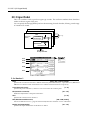
Octave Down
Each time you press SW1 (or SW2), the original octave setting will alternate with a setting of one octave
lower.
Octave Up
Each time you press SW1 (or SW2), the original octave setting will alternate with a setting of one octave
higher.
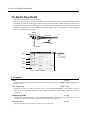
Portamento Off
Each time you press SW1 (or SW2), the portamento effect will alternate between On and Off (lit LED indicates
Off). This is valid only for bank M programs.
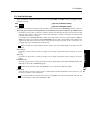
MIDI
CC#65 will be transmitted each time On/Off occurs (a value of 0 for Off, 127 for On).
Modulation
Select this when you wish to use the switch as a AMS or Effect Dynamic Modulation source. In this case, you
must first specify the control destination.
MIDI
SW1 and SW2 differ for this function alone. For each On/Off, SW1 will transmit CC#80 , and SW2 will
transmit CC#81 (a value of 0 for Off, 127 for On).
Parameters
MIDI
Prog.
Edit
P1