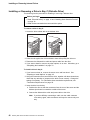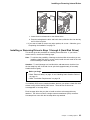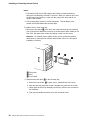
1
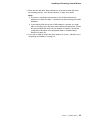
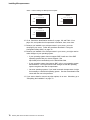
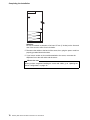
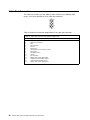
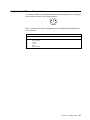
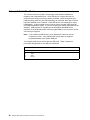
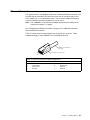
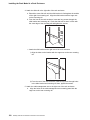
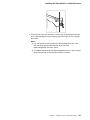
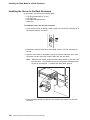
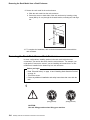
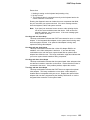
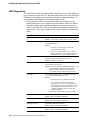
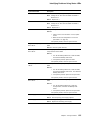
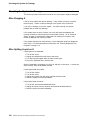
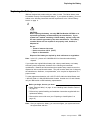
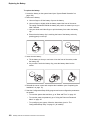
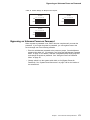
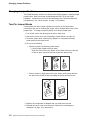
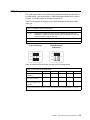
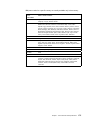
Installing Microprocessors Table 3. Switch Settings for Microprocessor Speed 350 MHz 1 2 3 4 5 6 7 8 400 MHz 1 2 3 4 5 6 7 8 ON ON OFF OFF 450 MHz 1 2 3 4 5 6 7 8 ON OFF 10. Go to “Record the Identification Numbers” on page 162 and Table 14 on page 164, and update the microprocessor information; then, return here. 11. Because you installed a new microprocessor in your server, you must reconfigure your server. Follow the procedure described in “Using the Configuration/Setup Utility” on page 22. 12. Because you installed a new microprocessor in your server, you might need to make changes to your operating system. If your operating system does not support SMP, install one of the SMP operating systems that your server supports. See http://www.pc.ibm.com/netfinity/ on the World Wide Web. If your operating system does support SMP, refer to your operating-system documentation. You might need to make changes so that the operating system recognizes the new microprocessor. On some operating systems, if you install a second microprocessor it might be necessary to reinstall the operating system. See the documentation that comes with the new microprocessor. 13. If you want to install or remove any other options, do so now. Otherwise, go to “Completing the Installation” on page 76. 70 Netfinity 5000 Server Hardware Information and Procedures