1
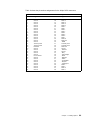
Installing or Removing Internal Drives SCSI Devices Your Netfinity 5000 server supports drives that comply with American National Standards Institute (ANSI) SCSI Standards X3.131-1986 (SCSI), X3.131-1994, (SCSI-2), X3.277-1996 (SCSI-3 Fast-20 parallel interface), and X3.253-1995 (SCSI-3 parallel interface). For a complete list of the SCSI devices supported on your Netfinity 5000 server, go to http://www.pc.ibm.com/support/ on the World Wide Web. If you install additional SCSI devices, you must set a unique identification (ID) for each SCSI device. This enables the SCSI controller to identify the devices and ensure that different devices do not attempt to transfer data at the same time. Note: Any information about SCSI drives also applies to other SCSI devices, such as scanners and printers. SCSI IDs If you install SCSI devices, you must set a unique identification (ID) for each SCSI device that you connect to your server. This enables the SCSI controller to identify the devices and ensure that different devices do not attempt to transfer data at the same time. The SCSI controller in your server supports SCSI IDs 0 to 15; ID 7 is reserved for the controller, ID 14 is reserved for the daughterboard (SAF-TE) on the DASD backplane. Use the SCSISelect Utility program to view the SCSI IDs of SCSI devices in your server. (See “Using the SCSISelect Utility Program” on page 35 for more information.) Note: A daughterboard is a secondary adapter that can be plugged into another adapter or the system board. The SAF-TE daughterboard on the DASD backplane makes available the status information about the DASD drives that meet the following conditions: The drives are part of a RAID environment The status information comes from a supported IBM RAID adapter If you install wide (16-bit) SCSI devices, you can set the IDs to any whole number between 0 and 6, or to any whole number between 8 and 13, or to 15. If you install narrow (8-bit) SCSI devices, you can set the IDs to any whole number between 0 and 6. Your server automatically sets SCSI IDs for hot-swap hard disk drives, according to the jumper settings on the DASD backplane. Your server uses the hard disk drive SCSI IDs to send status information to the indicator lights on each hard disk drive. See “Status Indicators” on page 9 for the location and identification of the hard disk drive status lights. Table 2 shows the default SCSI IDs that the backplane assigns for hot-swap hard disk drives. Table 2. Automatically Assigned SCSI IDs 58 Bay 1 2 3 4 5 ID 0 1 2 3 4 Netfinity 5000 Server Hardware Information and Procedures