1
Additional Features
Flight
Instruments
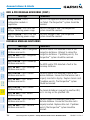
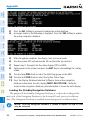
4) Press the NEW Softkey.
Or:
a) Press the MENU Key to display the Page Menu.
EIS
b) Turn either FMS Knob to place the cursor on ‘Draft New Predefined
Message’.
Nav/Com/
XPDR/Audio
c) Press the ENT Key. The PREDEFINED SMS TEXT MESSAGE Window is
now displayed.
GPS Nav
AFCS
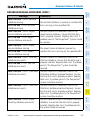
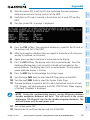
5) The cursor is displayed in the ‘TITLE’ field. Enter the desired message title.
Entry can be accomplished through the alphanumeric keys on the PFD/MFD
Control Unit, or combination of the FMS Knob on the controller and softkeys
on the MFD. The FMS Knob is used to enter letters and numbers, or numbers
can be entered from the MFD by pressing the NUMBERS Softkey. Press the
CAP LOCK Softkey to create upper and lower case alpha characters. Special
characters can be accessed by pressing the SYMBOLS Softkey.
Flight
Planning
6) Press the ENT Key. The cursor is now displayed in the ‘MESSAGE’ field.
Procedures
7) Enter the desired message using any combination of entry methods as
described in step 5.
8) Press the ENT Key.
Hazard
Avoidance
9) Press the SAVE Softkey. The new predefined message is now shown in
the displayed list. Pressing the CANCEL Softkey will delete the message
without saving.
Additional
Features
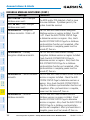
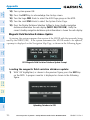
10) Press the MENU Key to display the Page Menu.
11) Turn either FMS Knob to place the cursor on ‘Stop Editing Predefined
Message’.
Abnormal
Operation
12) Press the ENT Key.
Index
Appendix
Annun/
Alerts
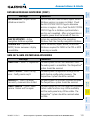
Send a Predefined Text Message:
1) While viewing the AUX-TEXT MESSAGING Page, press the NEW Softkey.
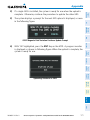
2) The TEXT MESSAGE DRAFT Window is now displayed with the cursor in the
‘TO’ field. Enter the desired telephone number or email address. Entry can
be accomplished through the alphanumeric keys on the PFD/MFD Control
Unit, or combination of the FMS Knob on the controller and softkeys on
the MFD. The FMS Knob is used to enter letters and numbers, or numbers
can be entered from the MFD by pressing the NUMBERS Softkey. Press
the CAP LOCK Softkey to create upper and lower case alpha characters.
Special characters can be accessed by pressing the SYMBOLS Softkey.
98
Cirrus Perspective™ by Garmin – Cockpit Reference Guide for the SR20/SR22/SR22T
190-00821-10 Rev. A