1
Procedures
EIS
Flight
Instruments
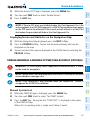
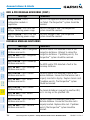
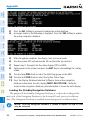
10) Press the ENT Key. If BARO, or OFF was selected step 8, proceed to step
11. If TEMP COMP was selected in step 8, the cursor moves to the ‘TEMP
AT....” field. Turn the small FMS Knob to enter the temperature at the
destination airport. The temperature compensated altitude minimum is
displayed below the previously enter minimum altitude value.
Nav/Com/
XPDR/Audio
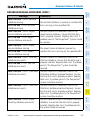
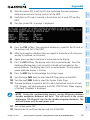
11) Press the ENT Key. ‘LOAD? or ACTIVATE?’ is now displayed with ‘LOAD?’
highlighted.
12) Turn the large FMS Knob to select either ‘LOAD?’ or ‘ACTIVATE?’.
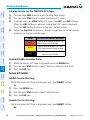
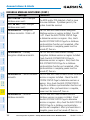
ACTIVATE AN APPROACH IN THE ACTIVE FLIGHT PLAN
1) Press the PROC Key.
2) Turn the large FMS Knob to highlight ‘ACTIVATE APPROACH’.
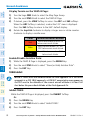
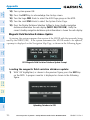
ACTIVATE A VECTOR TO FINAL APPROACH FIX
1) Press the PROC Key.
2) Turn the large FMS Knob to highlight ‘ACTIVATE VECTOR-TO-FINAL’.
Additional
Features
Hazard
Avoidance
3) Press the ENT Key.
3) Press the ENT Key.
4) The final approach course becomes the active leg.
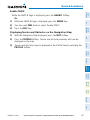
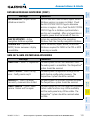
ACTIVATE A MISSED APPROACH IN THE ACTIVE FLIGHT PLAN
1) Press the PROC Key.
Annun/
Alerts
Abnormal
Operation
Selecting ‘LOAD?’ enters the selected approach procedure into the active
flight plan, but is not currently active. Selecting ‘ACTIVATE?’ enters the
selected approach procedure into the active flight plan and activates the
first leg of the approach.
13) Press the ENT Key.
Procedures
Flight
Planning
GPS Nav
AFCS
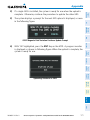
2) Turn the large FMS Knob to highlight ‘ACTIVATE MISSED APPROACH’.
Appendix
3) Press the ENT Key. A confirmation window is displayed.
Index
4) With ‘ACTIVATE’ highlighted, press the ENT Key.
Or:
Press the go-around button.
5) After activating the missed approach procedure, another approach
procedure may be loaded.
56
Cirrus Perspective™ by Garmin – Cockpit Reference Guide for the SR20/SR22/SR22T
190-00821-10 Rev. A