1
Level 1
Level 2
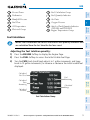
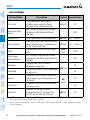
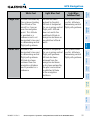
Description
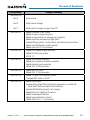
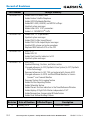
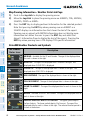
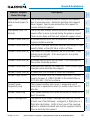
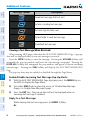
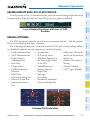
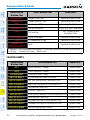
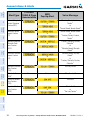
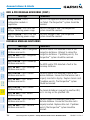
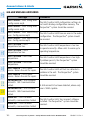
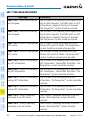
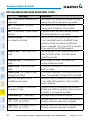
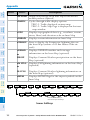
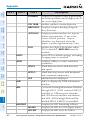
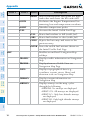
WX LGND Displays icon and age on the Inset Map for the selected
weather products (optional)
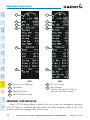
TRAFFIC Cycles through traffic display options:
TRFC-1: Traffic displayed on inset map
TRFC-2: Traffic Map Page is displayed in the inset
map window
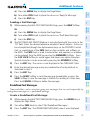
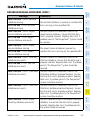
Displays topographical data (e.g., coastlines, terrain,
TOPO
rivers, lakes) and elevation scale on Inset Map
AFCS
Nav/Com/
XPDR/Audio
EIS
Flight
Instruments
Appendix
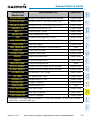
TERRAIN
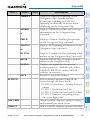
Displays terrain information on Inset Map
Flight
Planning
GPS Nav
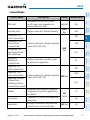
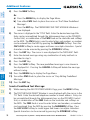
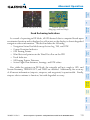
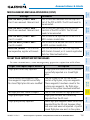
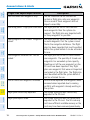
STRMSCP Press to display the Stormscope lightning data on
the Inset Map (within a 200 nm radius of the aircraft)
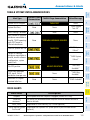
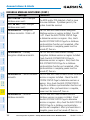
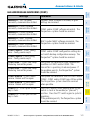
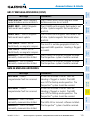
NEXRAD Displays NEXRAD weather and coverage
information on the Inset Map (optional)
or
Procedures
PRECIP
XM LTNG
Hazard
Avoidance
or
Additional
Features
DL LTNG
Abnormal
Operation
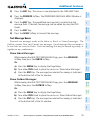
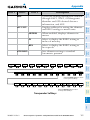
METAR
Displays Connext Weather precipitation on the Inset
Map (optional)
Displays XM lightning information on the Inset Map
(optional)
Displays Connext Weather lightning information on
the Inset Map (optional)
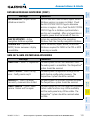
Displays METAR flags for the airport symbols on the
Inset Map
(SR22 only)
Annun/
Alerts
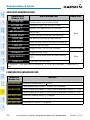
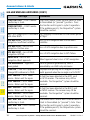
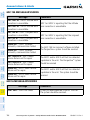
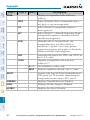
ALERTS
Appendix
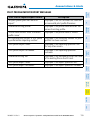
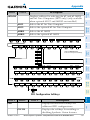
ADC1
ADC2
AHRS1
AHRS2
BACK
ALERTS
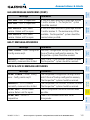
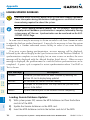
Press the BACK Softkey to
return to the top level softkeys.
Index
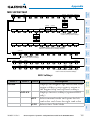
Sensor Softkeys
158
Cirrus Perspective™ by Garmin – Cockpit Reference Guide for the SR20/SR22/SR22T
190-00821-10 Rev. A