1
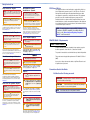
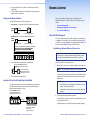
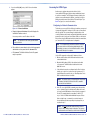
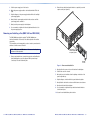
3. Press an output button. The buttons for the tied input and all tied
outputs light.
Remote Control
4. Press the View button again to exit View mode. All input and output
buttons return to an unlit state.
Saving or Recalling a Preset
The DMS switchers have 32 global memory presets.
This section describes using the remote control features of the
DMS matrix switchers to control the devices. Topics that are covered
include:
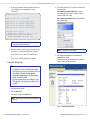
1. Save a preset — Press and hold the Preset button until it flashes.
•• Selected SIS Commands
Save a
preset
PRESET
•• Installing and Starting the Control Program
2 seconds
PRESET
•• Accessing the HTML Pages
The Preset button blinks.
Press and hold.
Recall a preset — Press and release the Preset button.
Recall a
preset
PRESET
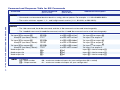
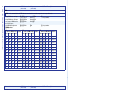
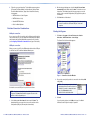
You can use Simple Instruction Set (SIS) commands for operation and
configuration of the switchers. You can run these commands from a PC
connected to a serial port (item e on page 8), Ethernet port (item f on
page 8), or USB port (item a on page 9) on the switcher.
PRESET
Press and release.
Selected SIS Commands
The Preset button lights.
All input and output buttons with assigned presets light red.
When a preset is saved, the configuration data at
assigned preset locations will be overwritten.
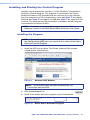
Establishing a Network (Ethernet) Connection
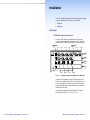
INPUTS
1
2
3
4
5
NOTE: The first time you connect to the switcher via the LAN port,
you may need to change the default settings (IP address, subnet
mask, and [optional] administrator password) of the switcher.
6 15 16
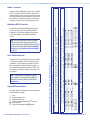
2. Press and release the desired input or output button.
Establish a network connection as follows:
The button blinks red to indicate that
this preset is selected to save or recall.
1
ENTER
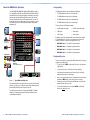
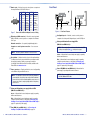
1. Open a TCP socket to port 23 using the IP address of the switcher.
NOTE:
The Enter button blinks
red to indicate the need to
activate the save or recall.
The switcher responds with a copyright message including the name,
firmware version, and part number of the product, and the current
date and time.
3. Press and release the Enter button.
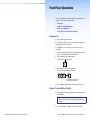
Locking Out the Front Panel (Executive Mode)
NOTES:
To toggle the front panel lock on and off, simultaneously press and hold
the Enter button and the Esc button until the Preset and View buttons
blink twice (approximately 2 seconds).
Press and hold the Enter and
Esc buttons simultaneously to
toggle executive mode on or off.
C O NT R O L
ENTER PRESET
VIEW
2 seconds
• If the switcher is not password-protected, the device is now
ready to accept SIS commands.
• If the switcher is password-protected, a password prompt
appears.
2. If necessary, enter the appropriate password.
C O NT R O L
ESC
The factory default IP address is 192.168.254.254.
ENTER PRESET
VIEW
ESC
If the password is accepted, the switcher responds with Login User
or Login Administrator.
If the password is not accepted, the Password prompt reappears.
The Preset and View buttons
blink twice to indicate the
mode change.
Release the buttons.
12
DMS 1600, DMS 2000, DMS 3200, DMS 3600 • Front Panel Operations
DMS 1600, DMS 2000, DMS 3200, DMS 3600 • Remote Control
13