1
TeamWork Kits • Installation Guide (Continued)
TeamWork VGA Kit
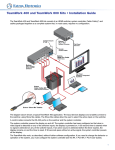
The TeamWork VGA kit adds support for legacy analog computer sources to the TeamWork 400 and TeamWork 600 collaboration
systems. For fast installation, the analog-to-digital converter (RGB-HDMI 300 A) is pre-configured for use with flat panel displays
that have a resolution of 1080p. If you need to change the behavior or operation of the converter, see the RGB-DVI 300 and RGBHDMI 300 (A) User Guide at www.extron.com.
NOTE: The RGB-HDMI 300 A is pre-configured to lock out the front panel buttons. To enable or disable front panel security
lockout, press and hold the Menu and Enter buttons simultaneously for two seconds.
Extron HDMI Switcher
Extron Analog-to-Digital Converter
POWER
12V
1.0A MAX
SW4 HDMI
RS-232
RGB/R-Y,Y,B-Y
AUDIO
HDMI OUTPUT
RGB - HDMI 300 A
INPUTS
OUTPUT
REMOTE
TALLYOUT
INPUT
POWER
12V
0.3A MAX
1
2
3
1
4
2
3
4 +V
CONTACT
1
Tx Rx
2
3
4 G
RS-232 AUTO
Tx Rx
Contact
Closure
and Tally
VGA
“Show Me”
Cable
SHARE
Features
zz
Standard systems support groups of up to four (TeamWork 400) or six (TeamWork 600) users.
zz
Standard systems contain a complete turnkey package that includes cables, switcher, system controller, and Cable Cubby
enclosure.
zz
System controller pre-loaded with Global Configurator that requires no further adjustment.
zz
Works with most commercially available flat panel displays, laptops and tablets.
zz
HDCP compliant
zz
Supports legacy analog sources with optional TeamWork VGA kit.
zz
Section 508 compliant.
Kit Components
When your kit is delivered, check that all the components are present.
TeamWork VGA Kit
TeamWork VGA
Analog-to-digital converter 1 (RGB-HDMI 300 A)
2
VGA “Show Me” cable
1
HDMI cable
1
Installation Guide
TeamWork Kits Installation Guide