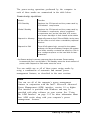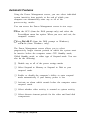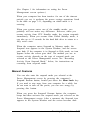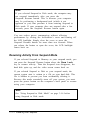
1
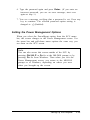
6. Type the password again and press Enter. (If you enter an
incorrect password, you see an error message; start over
again at step 1.)
7. You see a message verifying that a password is set. Press any
key to continue. The selected password option setting is
changed to
(Enabled).
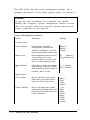
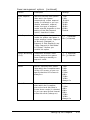
Setting the Power Management Options
When you select the PowerMgmt option from the SCU menu
bar, the screen changes to the Power Management screen. Use
the menu bar and pull-down menu options the same way you
use them on the SCU screen.
Note
You can also access this screen outside of the SCU by
pressing Ctrl Alt P or Fn E SC at the MS-DOS prompt or by
pressing Fn E SC from Windows. Then when you exit the
Power Management screen, you return to the MS-DOS
prompt or to Windows, depending on where you were
when you brought up the screen.
Setting Up the Computer
1-15