1
e
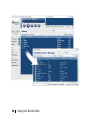
Click the “Tools” button on the right-hand side of
“Portable Device Manager” window.
f
Choose the “Format media”.
g
Disconnect your Dell DJ Ditty and reboot it
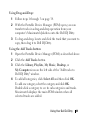
Format using Windows Media Player 10:
a
Run Microsoft® Media Player 10.
b
Connect your Dell DJ Ditty to the computer.
c
Click the Sync feature.
d
Click the “Format storage media” button on the righthand side of the screen.
e
Disconnect your Dell DJ Ditty and reboot it.
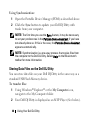
iii. Reload or Upgrade firmware with “Format Data Area”
checked.
NOTICE: This step replaces the operating software (firmware) in your
Dell DJ Ditty with a newer version.
You should always have the latest firmware installed in your
player.
50
Frequently Asked Questions