1
Omconfig Physical Disk Power Management
Description
Manages the power of physical disks in a controller by spinning down hot spares, configured drives,
and unconfigured drives.
Syntax
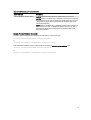
omconfig storage controller action= setpdiskpwrmanagement
spindownunconfigureddrives= <enabled | disabled>
spindownhotspares=<enabled | disabled>
spindownconfigureddrives=<enabled | disabled> idlec=<enabled |
disabled> spindowntimeinterval=<30 to 1440>(minutes)
spinupstarttime=<HH:MM:AM/PM> spinuptimeinterval= <1 to 24>(hours),
where id is the controller ID as reported by the omreport storage controller command.
NOTE: On PERC 7 controllers, only spindownunconfigureddrives,
spindownhotspares, and spindowntimeinterval parameters are supported.
NOTE: You can specify spinupstarttime and spinuptimeinterval only when you set
spindownconfigureddrives=enabled.
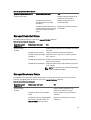
Example to
Spin down drives that are not configured or hot spares that are unattended for 30 minutes
Example
omconfig storage controller action= setpdiskpwrmanagement
spindownunconfigureddrives= enabled spindownhotspares=enabled
spindowntimeinterval=30 controller=1
Omconfig Set Patrol Read Mode
Description
Sets the patrol read mode for the controller.
Syntax
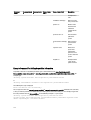
omconfig storage controller action= setpatrolreadmode controller=id
mode= manual|auto|disable, where id is the controller ID as reported by the omreport storage
controller command.
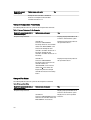
Example to
Sets the patrol read on controller 1 to manual mode
Example
omconfig storage controller action= setpatrolreadmode controller=1
mode=manual
Omconfig Start Patrol Read
Description
Starts the patrol read task on the controller.
Syntax
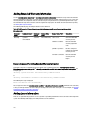
omconfig storage controller action=startpatrolread controller=id, where
id is the controller ID as reported by the omreport storage controller command.
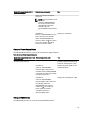
Example to
Start the patrol read task on controller 1.
Example
omconfig storage controller action=startpatrolread controller=1
NOTE: To start patrol read, the current patrol read mode is set to Manual.
Omconfig Stop Patrol Read
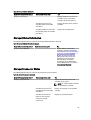
Description Stops the patrol read task on the controller.
Syntax
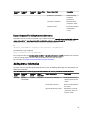
omconfig storage controller action=stoppatrolread controller=id, where
id is the controller ID as reported by the omreport storage controller command.
171