1
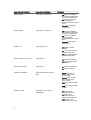
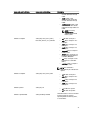
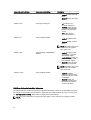
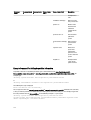
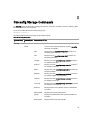
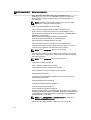
Command
Level 1
Command Level
2
Command Level
3
User
Privilege
Required
Use
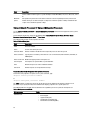
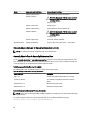
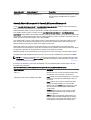
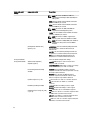
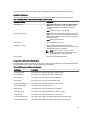
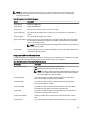
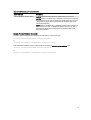
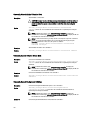
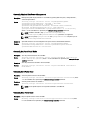
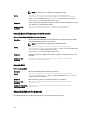
NOTE: You cannot change threshold values on
ESM3 and PowerEdge x8xx systems.
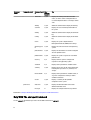
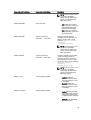
volts
P, A
Sets warning threshold values to the default or a
specific value.
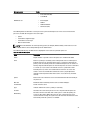
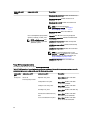
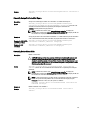
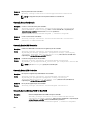
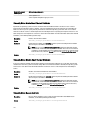
NOTE: You cannot change threshold values on
ESM3 and PowerEdge x8xx systems.
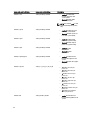
storage
For more information, see Using The Storage
Management Service.
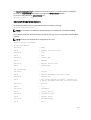
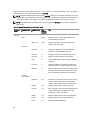
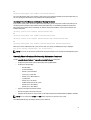
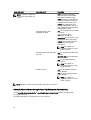
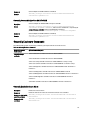
Help With The Omconfig Command
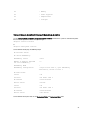
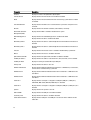
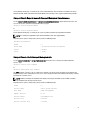
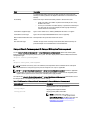
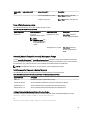
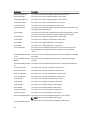
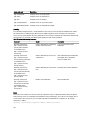
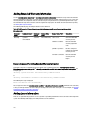
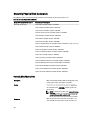
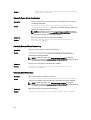
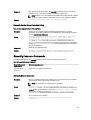
The following table lists the usage of omconfig commands.
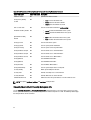
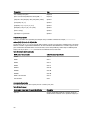
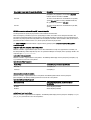
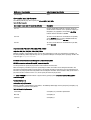
Table 20. Usage Of Omconfig Commands
Command Usage
Description
omconfig -?
To display the list of the available commands for omconfig.
omconfig <command
level 2> -?
To display the help for about, chassis, preferences, and system’s level 2 commands.
omconfig chassis -?
To display the help for omconfig chassis command.
omconfig system -?
To display the help for omconfig system command.
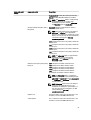
omconfig preferences -?
To display the available commands for omconfig preferences, such as cdvformat, which is
the custom delimiter format (cdv).
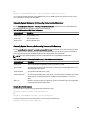
omconfig preferences
cdvformat -?
To display the list of delimiter values for the cdv.
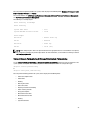
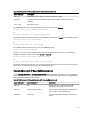
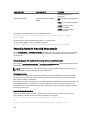
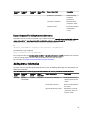
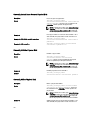
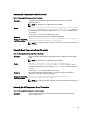
omconfig system
<command level 3> -?
To display the list of the parameters you must use to execute a particular omconfig system
command.
omconfig system
alertaction -?
To display the list of valid parameters for omconfig system alertaction.
omconfig system
shutdown -?
To display the list of valid parameters for omconfig system shutdown.
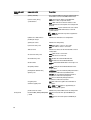
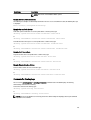
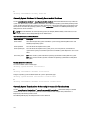
omconfig system
alertaction -? | more
To display the list of valid parameters for omconfig system alertaction and to scroll the
command output one screen at a time. Here, | more allows you to press the spacebar to
see the next screen of the CLI help output.
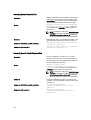
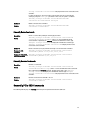
omconfig system
alertaction -? -outa
alert.txt
To create a file that contains all the help for the omconfig system alertaction -? command.
Here, -outa directs the output of the command to a file called alert.txt .
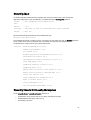
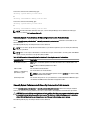
more alert.txt
To read the help for the alertaction command on Microsoft Windows, Red Hat Enterprise
Linux, or SUSE Linux Enterprise Server operating systems.
62