1
Lifecycle Controller Integration―Best Practices Specification
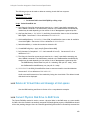
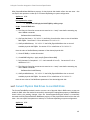
A) The Lifecycle Controller remote service must be in a “ready” state before executing any
other WSMAN commands. The GetRSStatus() method or the GetRemoteServicesAPIStatus()
method may be used depending on the version of the LC Management registered profile.
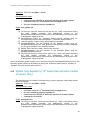
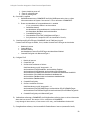
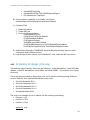
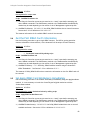
B) GetCPUView(): GET the DCIM_FanView instance using the InstanceID=Fan.embedded.1.
See Section 2.3 for a definition of GET.
The instance of DCIM_FanView that contains the information on the first fan will be returned.
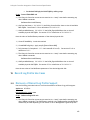
11 Persistent Storage Profile Use Cases
11.1
Discovery of Persistent Storage Profile Support
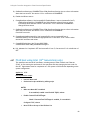
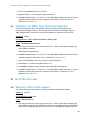
Use the following procedure below to confirm the existence of Persistent Storage profile support.
Applies to: LC1.4.0+
Prerequisites for script: none
Script: GetPersistentStorageProfile.win
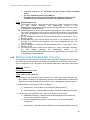
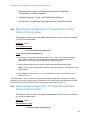
A) The Lifecycle Controller remote service must be in a “ready” state before executing any
other WSMAN commands. The GetRSStatus() method or the GetRemoteServicesAPIStatus()
method may be used depending on the version of the LC Management registered profile.
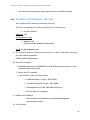
B) GetLCRegisteredProfiles(): ENUMERATE the DCIM_LCRegisteredProfile class to view all
registered profiles. See section 2.2 for a definition of ENUMERATE .
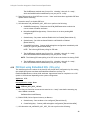
C) Search for “RegisteredName=Persistent Storage” and note its instanceID to use in step D)
D) GetLCRegisteredProfile(): GET the DCIM_LCRegisteredProfile instance using the
InstanceID from C). See Section 2.3 for a definition of GET.
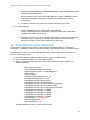
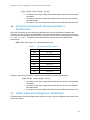
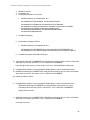
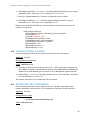
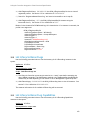
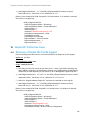
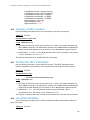
Results for the InstanceID of DCIM:PersistentStorage:1.0.0 shown below. If no instance is
returned, the profile is not supported.
DCIM_LCRegisteredProfile
AdvertiseTypeDescriptions = WS-Identify
AdvertiseTypeDescriptions = Interop Namespace
AdvertiseTypes = 1
AdvertiseTypes = 1
InstanceID = DCIM:PersistentStorage:1.0.0
OtherRegisteredOrganization = DCIM
ProfileRequireLicense = Virtual Flash Partitions
ProfileRequireLicense = Remote Inventory
ProfileRequireLicenseStatus = LICENSED
ProfileRequireLicenseStatus = LICENSED
RegisteredName = Persistent Storage
RegisteredOrganization = 1
RegisteredVersion = 1.0.0
11.2
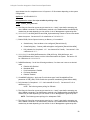
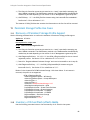
Inventory of Virtual Flash (vFlash) Media
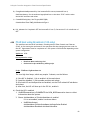
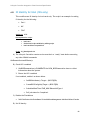
Use the following procedure below to list the inventory of all vFlash in the system.
86