1
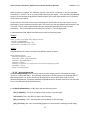
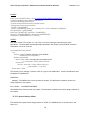
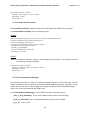
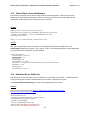
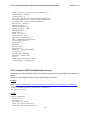
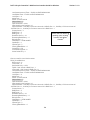
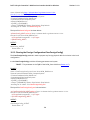
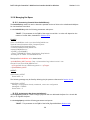
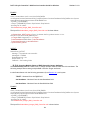
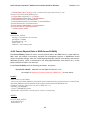
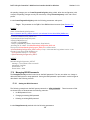
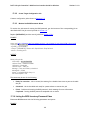
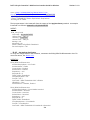
Dell™ Lifecycle Controller 2 Web Services Interface Guide for Windows Version: 2.1.0 the pending changes prior to CreateTargetedConfigJob() being called. After the configuration job is created, the pending changes can only be canceled by calling DeleteJobQueue() in the Job Control profile. Invoke CreateTargetedConfigJob() with the following parameters and syntax: Target: This parameter is the FQDD of the BIOSAttribute instances (from Section 17.1) EXAMPLE: winrm i DeletePendingConfiguration http://schemas.dmtf.org/wbem/wscim/1/cim-schema/2/root/dcim/DCIM_BIOSService ?SystemCreationClassName=DCIM_ComputerSystem +CreationClassName=DCIM_BIOSService +SystemName=DCIM:ComputerSystem +Name=DCIM:BIOSService -u:[USER] -p:[PASSWORD] -r:https://[IPADDRESS]/wsman -SkipCNcheck -SkipCAcheck -encoding:utf-8 -a:basic -file:DeletePendingConfiguration_BIOS.xml The input file DeletePendingConfiguration_BIOS.xml is shown below: <p:DeletePendingConfiguration_INPUT xmlns:p="http://schemas.dmtf.org/wbem/wscim/1/cimschema/2/root/dcim/DCIM_BIOSService"> <p:Target>BIOS.Setup.1-1</p:Target> </p:DeletePendingConfiguration_INPUT> OUTPUT: DeletePendingConfiguration_OUTPUT Message = The command was successful MessageID = BIOS001 ReturnValue = 0 ReturnValue = 4096 17.9 Managing BIOS Passwords The ChangePassword() method is used to set the BIOS passwords. The user can either set, change or delete the BIOS system or setup password. Setting the BIOS password is performed in several stages as described in the following sections. 17.9.1 Setting the BIOS Password The following example sets the BIOS system password to “NEW_PASSWORD”. Three instances of XML are shown below to demonstrate the following scenarios: No BIOS password is set Changing an existing BIOS password Deleting an existing BIOS password Invoke ChangePassword() method with the following parameters: 190